

VERSION HISTORY
LIRA-FEM
Generator improvements
- The Generator system has been updated, significantly increasing performance speed.
-
In addition, new functions have been added to improve usability:
- ability to collapse the Generator window;
- automatic zoom to the last edited fragment of the algorithm when opening the dialog window;
- ability to align nodes on the canvas;
- ability to copy nodes from one project to another;
- canvas grid for convenient work with the algorithm;
- improved grouping of nodes;
- ability to transfer and duplicate links to other node inputs.

Updated Generator LIRA-CAD
New Generator Nodes
- Exclude objects from project — a node that assigns objects the attribute “Do not use in project”. Such objects are not displayed in the LIRA-CAD graphical space and do not participate in the design model.
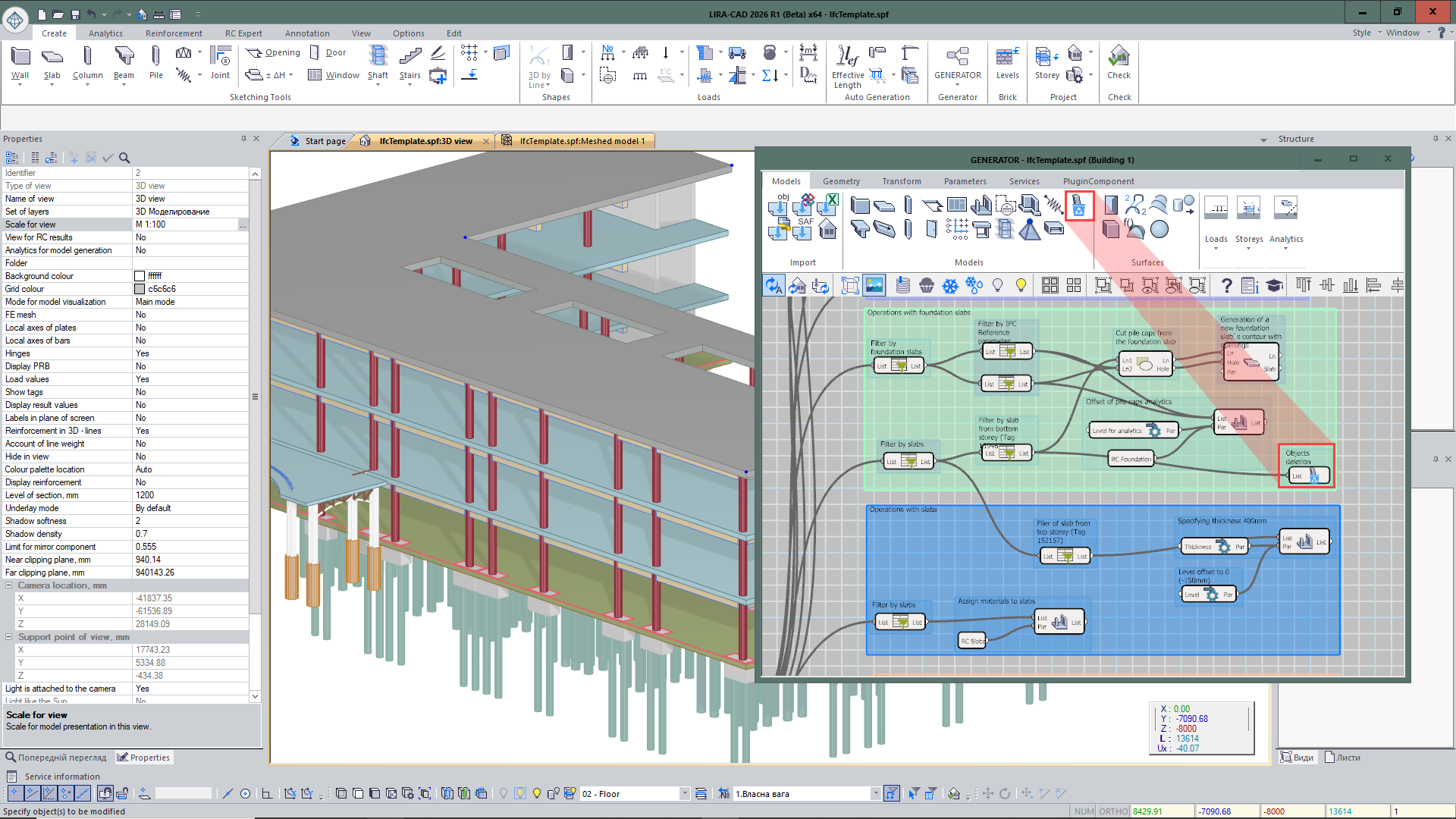
Node Exclude objects from project
- Special load — a node that sets parameters of a special load for input objects.
- End and midpoint of line — obtaining points at the beginning, end, and middle of a curve.
- Extend polyline — allows increasing the length of a polyline by a specified value at the beginning or end of the curve.

Node Extend polyline
- Line by vector — creates a line of specified length from a given point along a vector that defines the direction.
- Split line into segments — a node that allows splitting a curve into a specified number of segments or with a given step.
- Line length — determines the length of a line.
- Distance between lines — determines the maximum or minimum distance between lines.
- Distance to line — determines the shortest distance from a point to a line.
- Split objects by floor levels — automatically divides elements by floor levels if their geometry in height extends beyond one floor.
Improvements to Existing Nodes
- For the Tunnel node, a number of improvements have been implemented to expand data transfer capabilities in the graph. Now the tunnel name can be set not only by number but also as a custom user-defined name reflecting the nature of the transmitted data.
- After creating an input Tunnel node with a specified name, the output node can be quickly added via the context menu, which displays a list of all tunnels already created in the project. The data composition has also been expanded: the node supports transferring not only objects but also numeric parameters.
- For objects imported from IFC, filtering by parameters recorded in the original IFC file has been added. This allows faster searching and analysis of model elements by their attribute data.
- Improved work with DWG underlays: if files are located in one folder, for a group of selected nodes you can now simultaneously specify a new placement path. Previously, when changing the location of a large number of DWG files, each file had to be manually selected and its path updated separately. Now it is enough to select a group of underlays and assign them a new folder in one action.
- Added the ability to form spaces from closed polylines in DWG underlays, simplifying room creation and speeding up model preparation based on drawing data.
- For the Surf node, parameters for building and processing surfaces have been expanded. It is now possible to form a surface not only by splines but also by a broken polyline, allowing correct description of complex broken-shape models. Settings for the intersection line of the surface with a plane have also been implemented: the user can specify whether it should be formed by the physical or analytical model.
- In the Kinematic surface node, a Material parameter has been added, allowing assignment of material to the created surface directly during its creation.
- In the Door opening and Window opening nodes, a parameter for forming a bar analogue in the wall has been added.