

VERSION HISTORY
LIRA-FEM
Other features
- Added the ability to arbitrarily change the contour of single-pitch and double-pitch roofs.
-
Implemented the Labeling of steel structure elements tool. Labeling can be performed manually (by assigning a specific label) or automatically (with automated label generation).
For automatic labeling, label prefixes must be set according to functional characteristics. Automatic labeling considers the function of the steel element, its cross-section, and the element length with the specified accuracy.
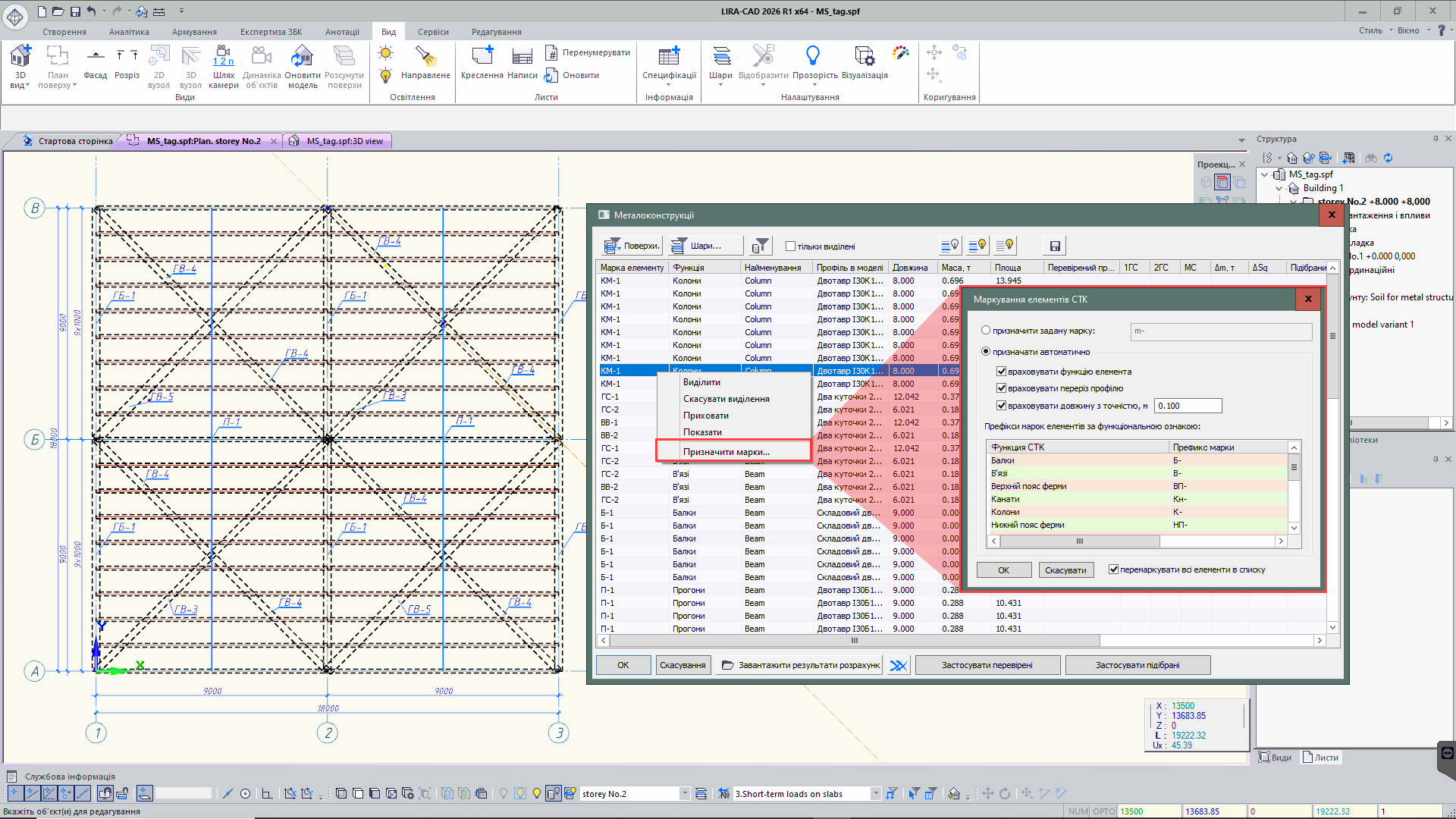
Labeling of steel structure elements
- Added layer search in the “Modeling layers” dialog. Two modes are available: partial and full match. In full match mode, the program also considers uppercase letters. By default, partial match mode is enabled.
- Added multiple selection of sections in the Section parameters dialog using Shift and Ctrl keys. This allows faster creation of section sets, transferring them from the project library to the general LIRA-CAD library, as well as copying and deleting groups of selected items at once.
- In the Default element parameters section of the Program settings dialog, the ability to expand the set of default properties for main objects has been added. Users can preconfigure frequently used and rarely changed parameters, which will be automatically applied when creating new model elements.
- For the function of displaying objects by properties and display modes, the set of visualization options has been expanded. New modes have been added: building layer color, column color by reinforcement type, colors of assembly stages, effective lengths, mass groups, loads, subtask sets, as well as load intensity visualization.
For clearer work in specialized modes, a graphical accent has been added — a frame around the perimeter of the workspace. In Block mode, the frame is displayed in blue, and in Editable analytics mode — in green, allowing the user to quickly identify the current working mode.