

VERSION HISTORY
LIRA-FEM
IFC improvements
Improved import of BIM model from IFC.
- Step-by-step model import: implemented the ability to load the model in parts — first certain types of objects, then others. This is convenient when working with large BIM models and when generating the design model.

Step-by-step IFC model import
- Updating selected objects from IFC: added a function to update selected objects — properties and geometric position — based on IFC file data without re-importing the entire model, helping maintain project relevance and synchronization with the BIM environment.
- Placing buildings on layers: when importing an IFC file containing multiple buildings, each building is automatically placed on a separate layer.
- Selecting buildings for import: if the IFC contains several buildings, you can now choose which ones to import into the project.
- Improved import of objects located in IFC blocks.
- In the IFC Import Settings dialog, columns with editable parameters are highlighted in blue for quick identification of values available for modification.
- In the Sections tab, columns Object Type and Object GUID have been added, allowing you to select the object type — beam, column, pile — for each imported section.
- Extended the set of imported parameters for the IfcSpace / Room object.
- Added support for importing the IfcSite object and related IFC model parameters.
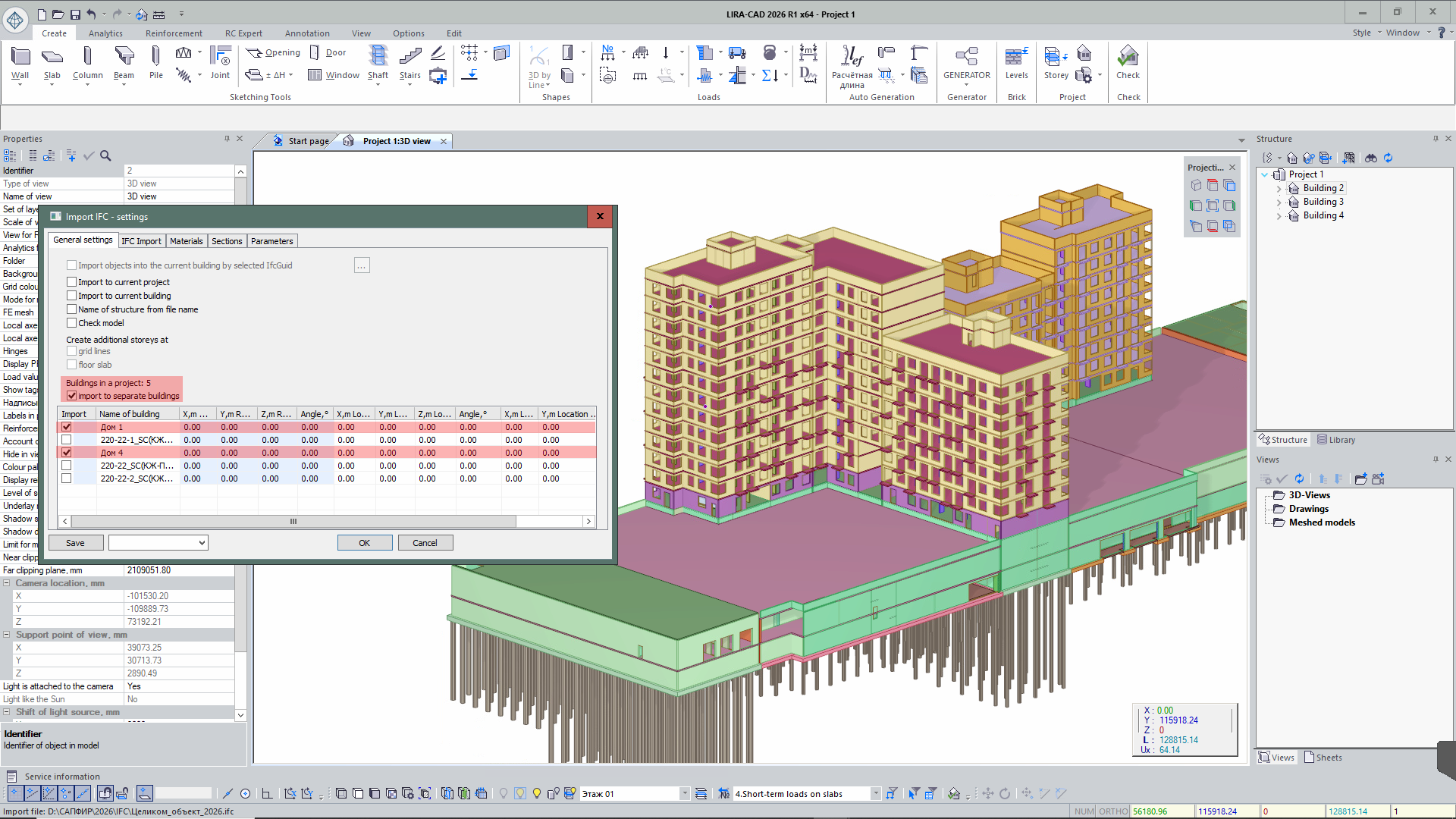
Selecting building for import
Improved export of BIM model to IFC.
- When exporting from SAPFIR to IFC, object identifiers IfcGUID and ID are additionally recorded, ensuring accurate matching of elements during re-import of the model.
- When exporting IFC models with capitals, correct geometry formation of capitals is ensured — trimmed along the slab perimeter and matching their dimensions.