VERSION HISTORY
LIRA-FEM
BIM Technology
IFC improvements
Improved import of BIM model from IFC.
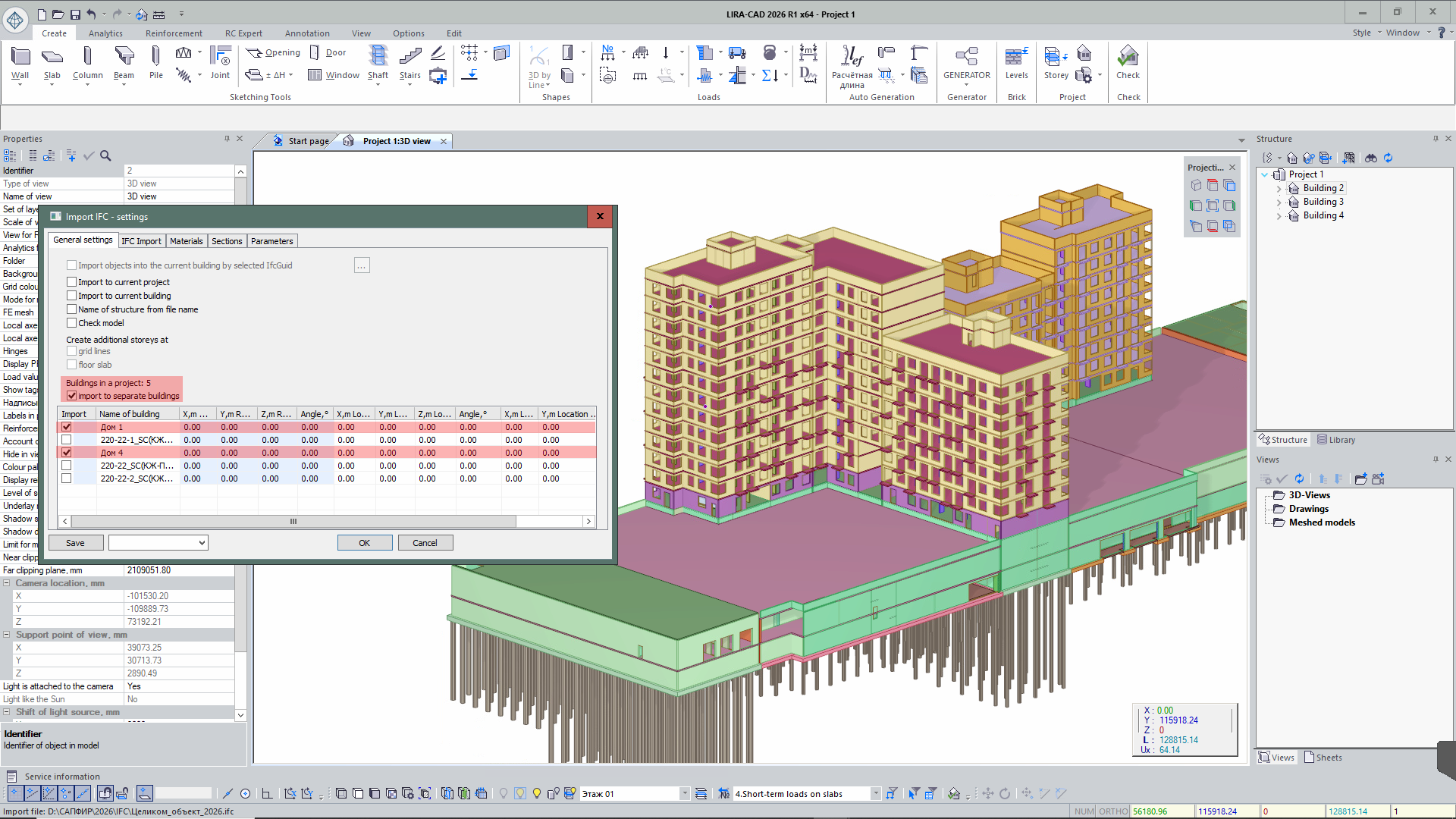
- Step-by-step model import: implemented the ability to load the model in parts — first certain types of objects, then others. This is convenient when working with large BIM models and when generating the design model.

- Updating selected objects from IFC: added a function to update selected objects — properties and geometric position — based on IFC file data without re-importing the entire model, helping maintain project relevance and synchronization with the BIM environment.
- Placing buildings on layers: when importing an IFC file containing multiple buildings, each building is automatically placed on a separate layer.
- Selecting buildings for import: if the IFC contains several buildings, you can now choose which ones to import into the project.
- Improved import of objects located in IFC blocks.
- In the IFC Import Settings dialog, columns with editable parameters are highlighted in blue for quick identification of values available for modification.
- In the Sections tab, columns Object Type and Object GUID have been added, allowing you to select the object type — beam, column, pile — for each imported section.
- Extended the set of imported parameters for the IfcSpace / Room object.
- Added support for importing the IfcSite object and related IFC model parameters.
Improved export of BIM model to IFC.
- When exporting from SAPFIR to IFC, object identifiers IfcGUID and ID are additionally recorded, ensuring accurate matching of elements during re-import of the model.
- When exporting IFC models with capitals, correct geometry formation of capitals is ensured — trimmed along the slab perimeter and matching their dimensions.
SAF improvements
- Updated SAF format import: added support for new data describing cross-sections of beams, columns, and other bar elements.
Generator improvements
- The Generator system has been updated, significantly increasing performance speed.
-
In addition, new functions have been added to improve usability:
- ability to collapse the Generator window;
- automatic zoom to the last edited fragment of the algorithm when opening the dialog window;
- ability to align nodes on the canvas;
- ability to copy nodes from one project to another;
- canvas grid for convenient work with the algorithm;
- improved grouping of nodes;
- ability to transfer and duplicate links to other node inputs.

New Generator Nodes
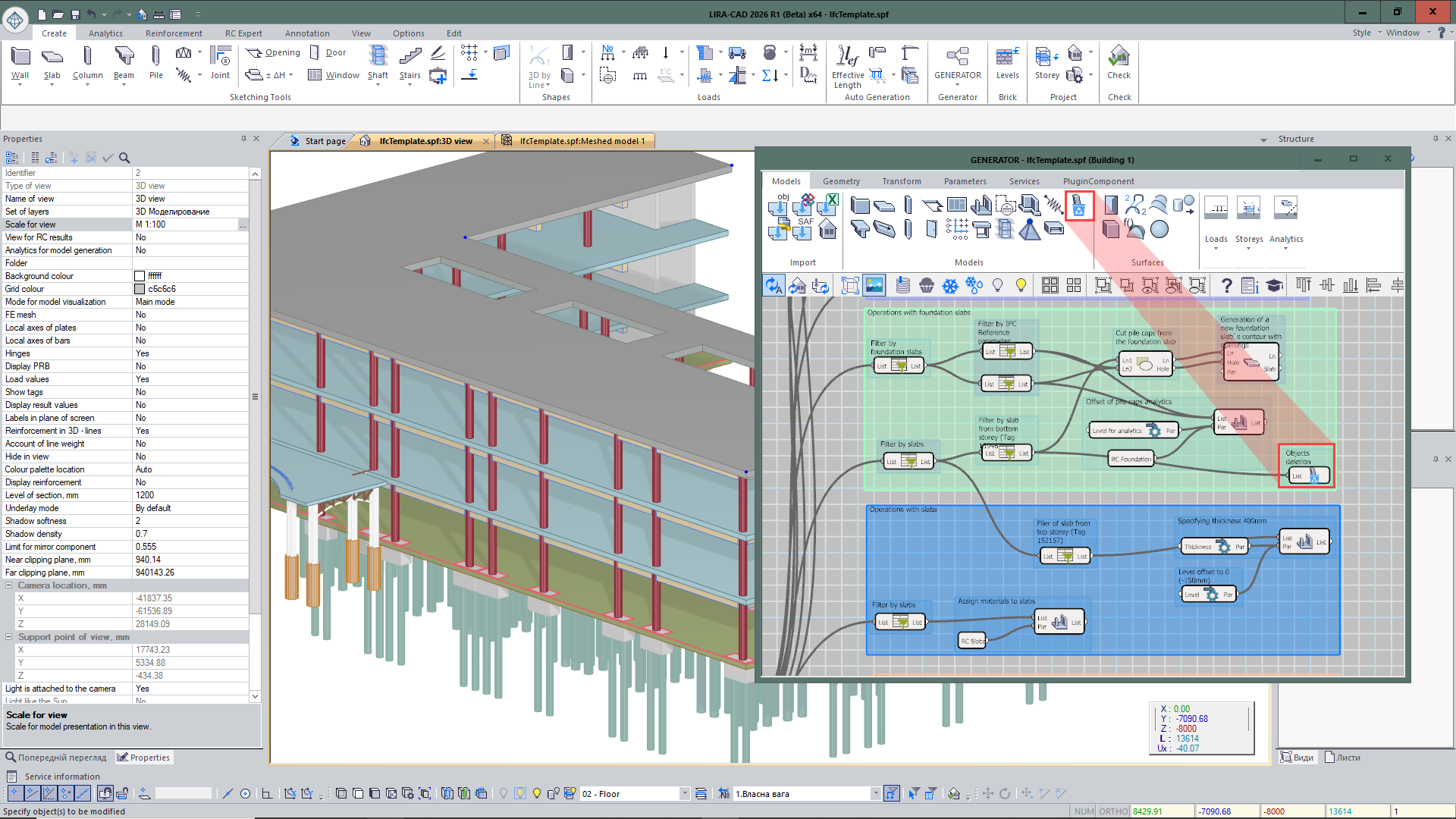
- Exclude objects from project — a node that assigns objects the attribute “Do not use in project”. Such objects are not displayed in the LIRA-CAD graphical space and do not participate in the design model.
- Special load — a node that sets parameters of a special load for input objects.
- End and midpoint of line — obtaining points at the beginning, end, and middle of a curve.
- Extend polyline — allows increasing the length of a polyline by a specified value at the beginning or end of the curve.

- Line by vector — creates a line of specified length from a given point along a vector that defines the direction.
- Split line into segments — a node that allows splitting a curve into a specified number of segments or with a given step.
- Line length — determines the length of a line.
- Distance between lines — determines the maximum or minimum distance between lines.
- Distance to line — determines the shortest distance from a point to a line.
- Split objects by floor levels — automatically divides elements by floor levels if their geometry in height extends beyond one floor.
Improvements to Existing Nodes
- For the Tunnel node, a number of improvements have been implemented to expand data transfer capabilities in the graph. Now the tunnel name can be set not only by number but also as a custom user-defined name reflecting the nature of the transmitted data.
- After creating an input Tunnel node with a specified name, the output node can be quickly added via the context menu, which displays a list of all tunnels already created in the project. The data composition has also been expanded: the node supports transferring not only objects but also numeric parameters.
- For objects imported from IFC, filtering by parameters recorded in the original IFC file has been added. This allows faster searching and analysis of model elements by their attribute data.
- Improved work with DWG underlays: if files are located in one folder, for a group of selected nodes you can now simultaneously specify a new placement path. Previously, when changing the location of a large number of DWG files, each file had to be manually selected and its path updated separately. Now it is enough to select a group of underlays and assign them a new folder in one action.
- Added the ability to form spaces from closed polylines in DWG underlays, simplifying room creation and speeding up model preparation based on drawing data.
- For the Surf node, parameters for building and processing surfaces have been expanded. It is now possible to form a surface not only by splines but also by a broken polyline, allowing correct description of complex broken-shape models. Settings for the intersection line of the surface with a plane have also been implemented: the user can specify whether it should be formed by the physical or analytical model.
- In the Kinematic surface node, a Material parameter has been added, allowing assignment of material to the created surface directly during its creation.
- In the Door opening and Window opening nodes, a parameter for forming a bar analogue in the wall has been added.
Autodesk Revit Plug-in improvements
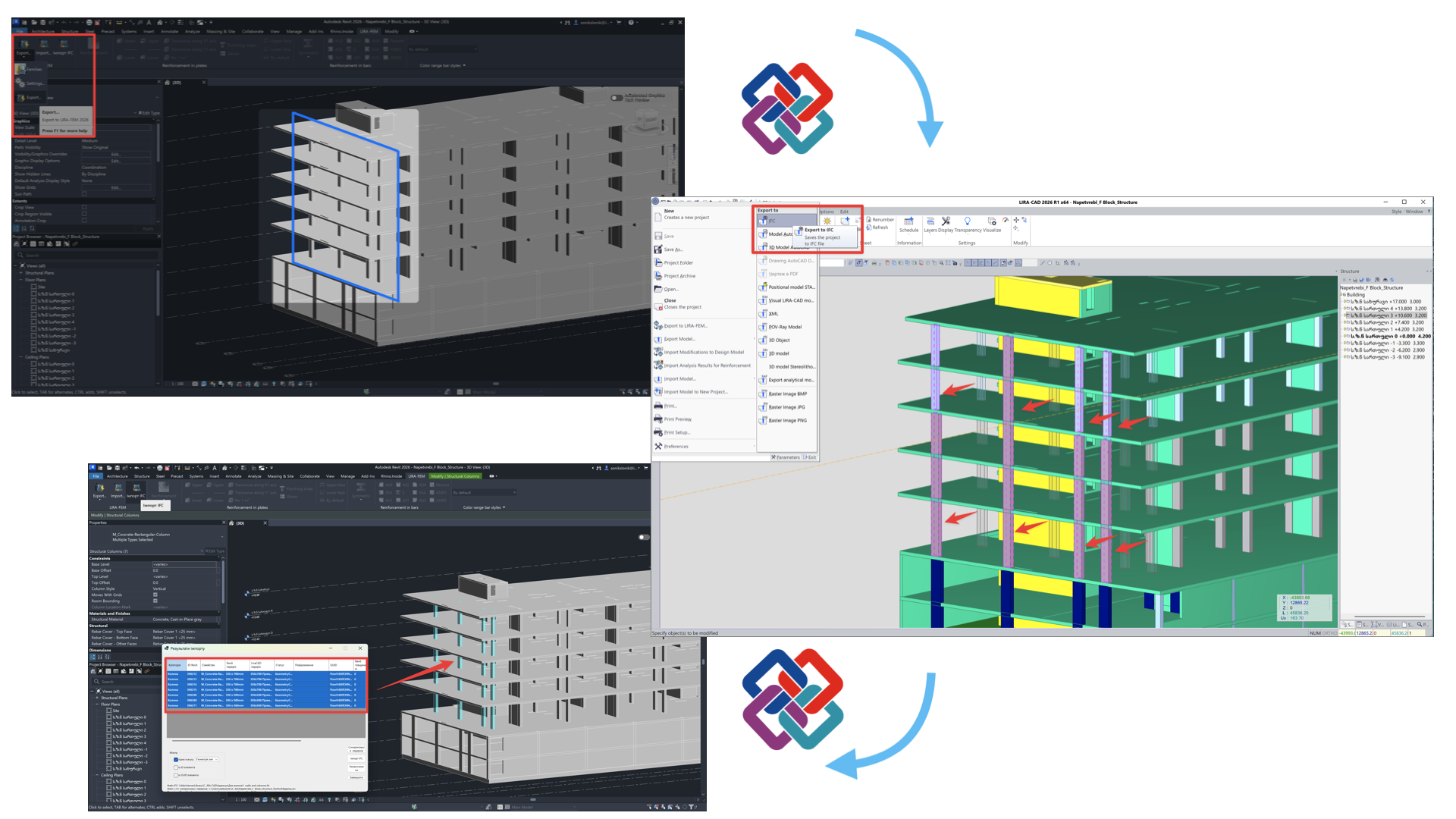
- The plugin for Revit 2026 has been updated for collaboration with LIRA-CAD and LIRA-FEM 2026. Correct two-way exchange of analytical models, calculation characteristics, and the physical model via IFC has been implemented.
- Settings are now remembered in the Export to LIRA-FEM 2026 dialog. When importing an analytical model from Revit, correct formation of radial walls in LIRA-CAD is ensured according to the original Revit geometry.
- An automatic comparison tool has been implemented for Revit structural elements with the LIRA-CAD model via IFC format. This solution significantly reduces the amount of manual matching of sections, thicknesses, and geometry changes of structural objects, and ensures correct display of this data in Revit.
Tekla Structures Plug-in improvements
- Adapted integration plugin for Tekla Structures 2025 and LIRA-FEM 2026. Updated mechanisms for transferring analytical models and additional data for further modeling in LIRA-CAD, as well as for updating BIM objects.
- Enhanced data exchange ensures more accurate model transfer and increases collaboration efficiency.
Rhino (Grasshopper) Plug-in improvements
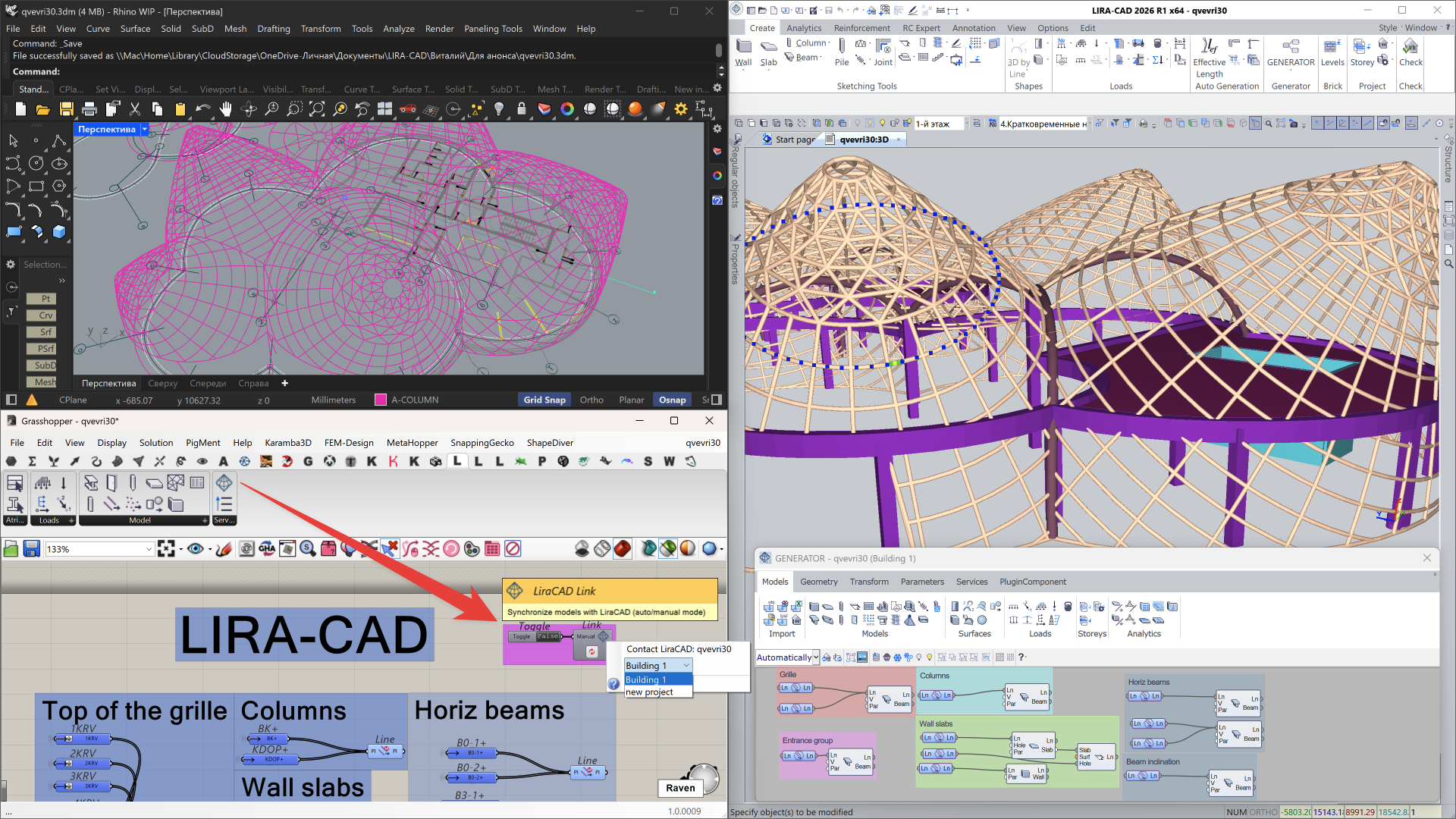
- Updated integration with Rhino 8 (Grasshopper). Implemented project-specific binding, automatic updating of the information model, data synchronization on request, as well as the ability to temporarily disable synchronization during long operations with the model on the Grasshopper side.
Importing a model from ETABS
-
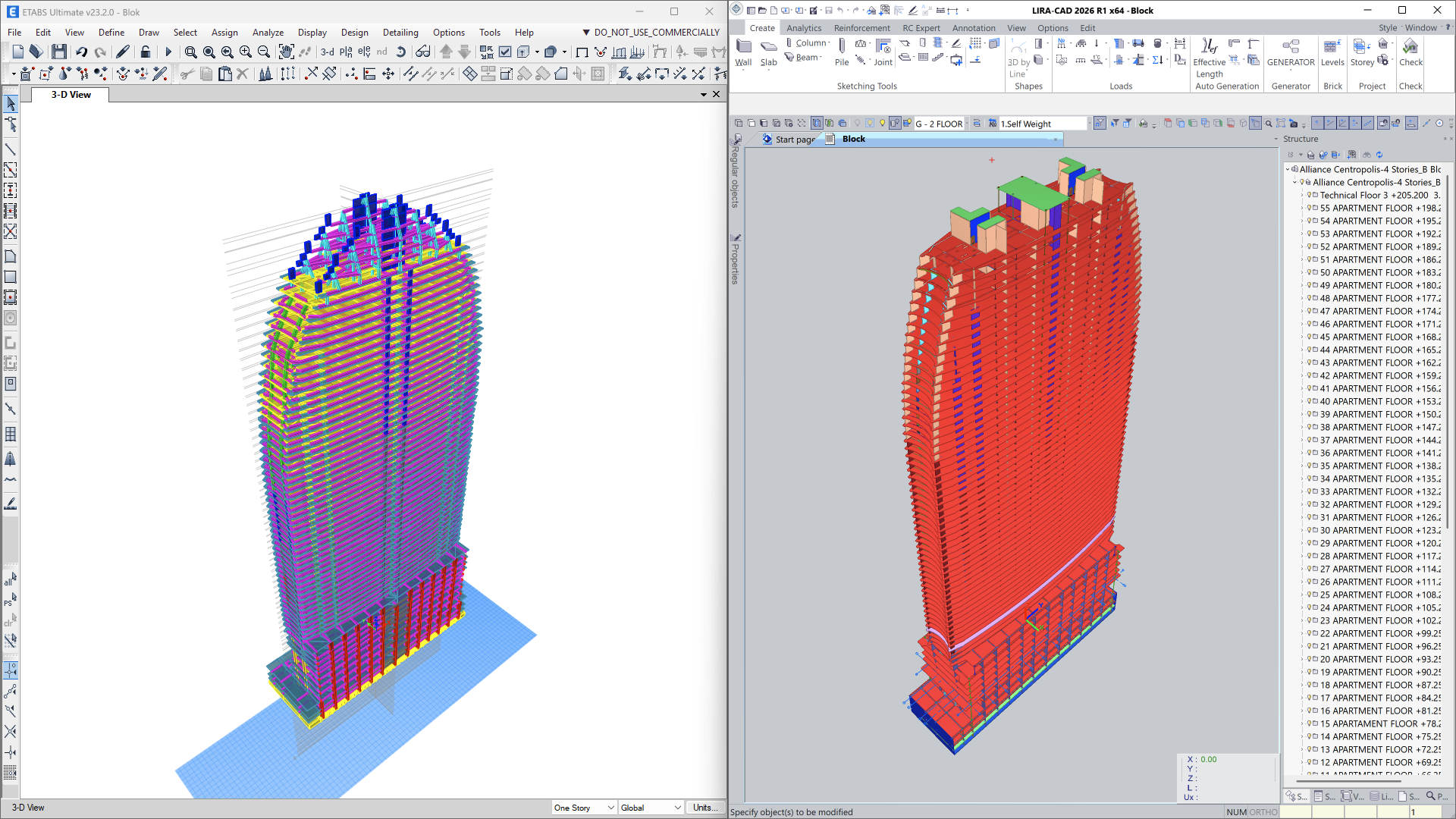
Import of ETABS models in
*.e2kformat has been implemented with support for two workflows:- import into the analytical model for already triangulated schemes;
- import into the physical model for transferring structural objects without finite element meshing.
- Geometry, analysis parameters, and main model properties are transferred, reducing the effort required for model preparation and simplifying comparative and verification analysis.
API improvements
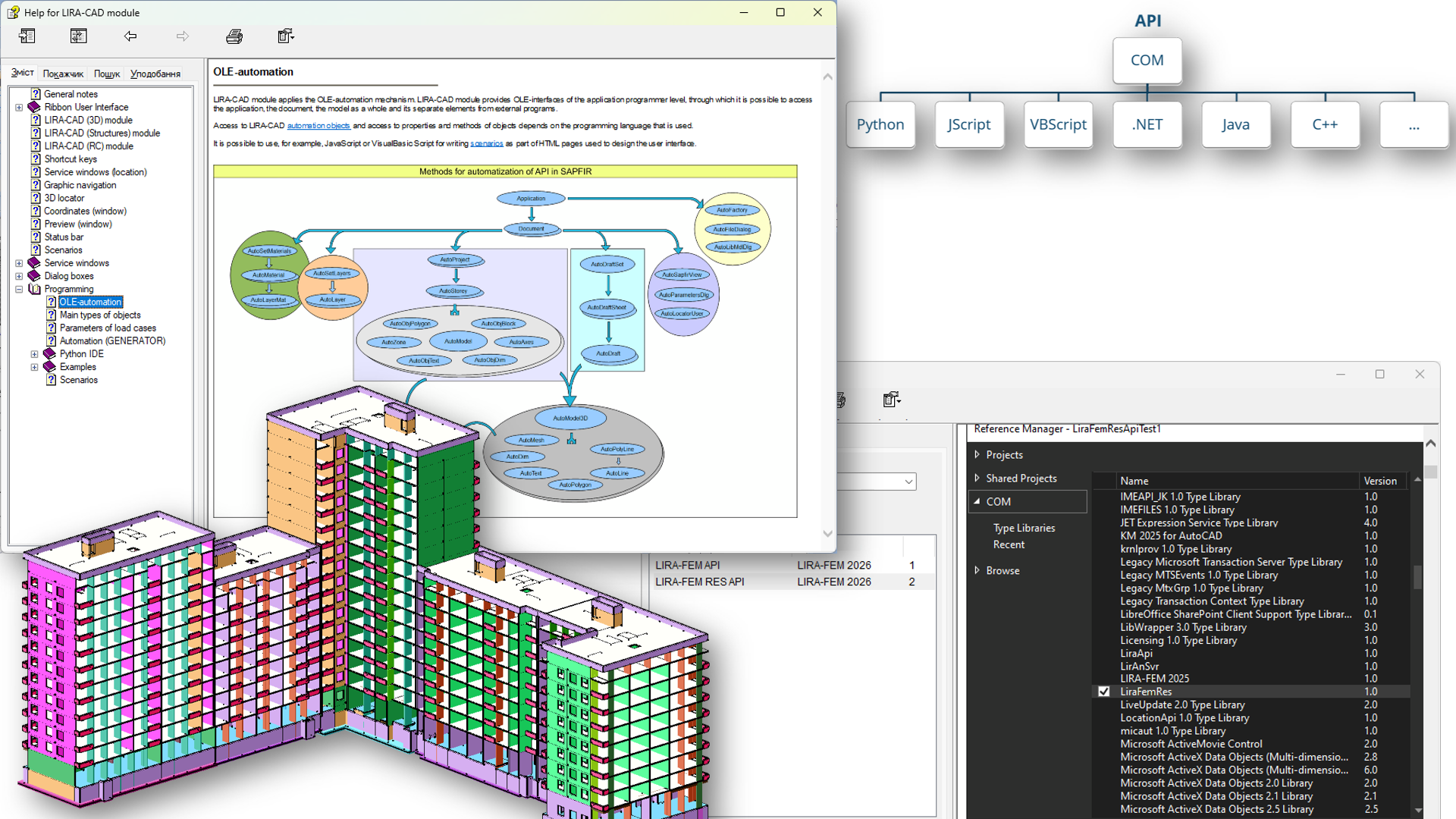
In LIRA-FEM 2026, the capabilities of interaction with the system via API have been significantly expanded. To automate routine tasks, generate complex objects, and integrate with external software, LIRA-FEM uses an API based on COM technology.
Key API Features
- Automation of LIRA-CAD: creation of custom nodes for the Generator and development of plugins.
- Input tables: programmatic control of design model data — import, adjustment, and updating via user interface or programmatically using COM technology.
- Reading and visualization: functions for obtaining analysis results and displaying them as mosaic plots, contour plots, and diagrams directly in the model window.
- Versatility: support for any programming languages that work with COM objects: C#, C++, Python, JavaScript (including V8), VBScript, and others.
User Extensions
-
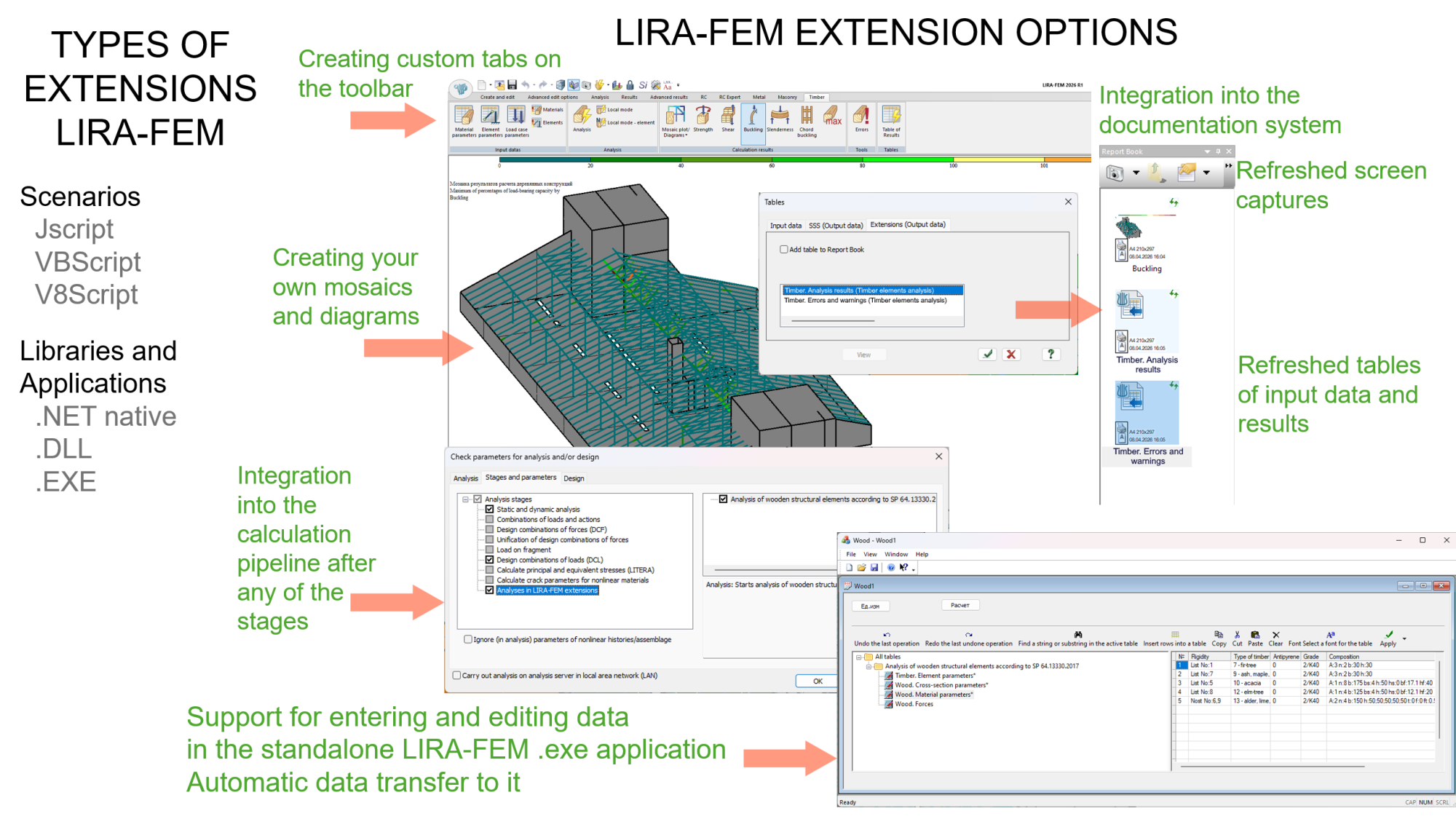
The main innovation is loading modules into the address space of the LIRA-FEM process. This gives external developers access to previously closed API functions and allows them to extend the capabilities of the software.
- Interface customization: embedding custom commands and buttons into the LIRA-FEM ribbon.
- Calculation cycle management: introducing custom data into the overall task structure and integrating specific algorithms into the calculation “pipeline.”
- Automated reporting: adding custom sections to the Report Book, including updatable CSV tables and screenshots.
- Development of new modules: a framework has been created for porting applications as LIRA-FEM extensions.
API LIRA-CAD and LIRA-FEM
-
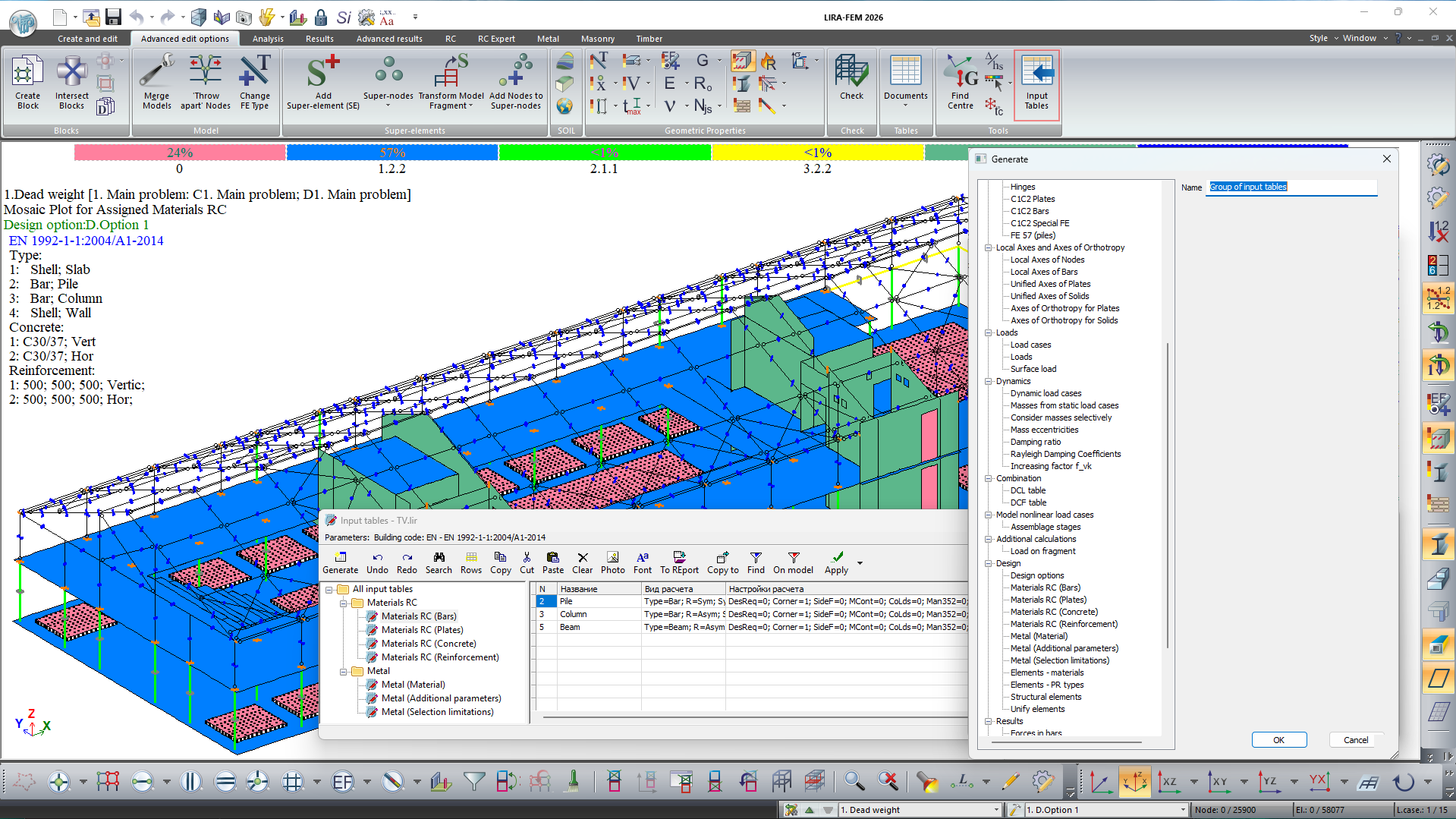
New input tables have been added for setting and adjusting design model data:
- pile stiffness — FE 57;
- materials for reinforced concrete structures: bars, plates, concrete, reinforcement;
- materials for steel sections: material, additional characteristics, selection restrictions;
- design options;
- DCF table;
- structural elements;
- element unification;
- soil model: basic, collapsible, swelling, saline, permafrost characteristics, consolidation, creep, boreholes.
- For convenience, a tree-like structure of sections has been added, as well as the ability to simultaneously delete, copy, cut, and paste multiple input tables.