

VERSION HISTORY
LIRA-FEM
Documentation
-
Added the command Create link for selected input table or group of input tables in the Report Book.
The command allows adding any input table to the Report Book and typesetting it within a single
*.docxfile with unified page, figure, and table numbering, as well as automatic table of contents generation.
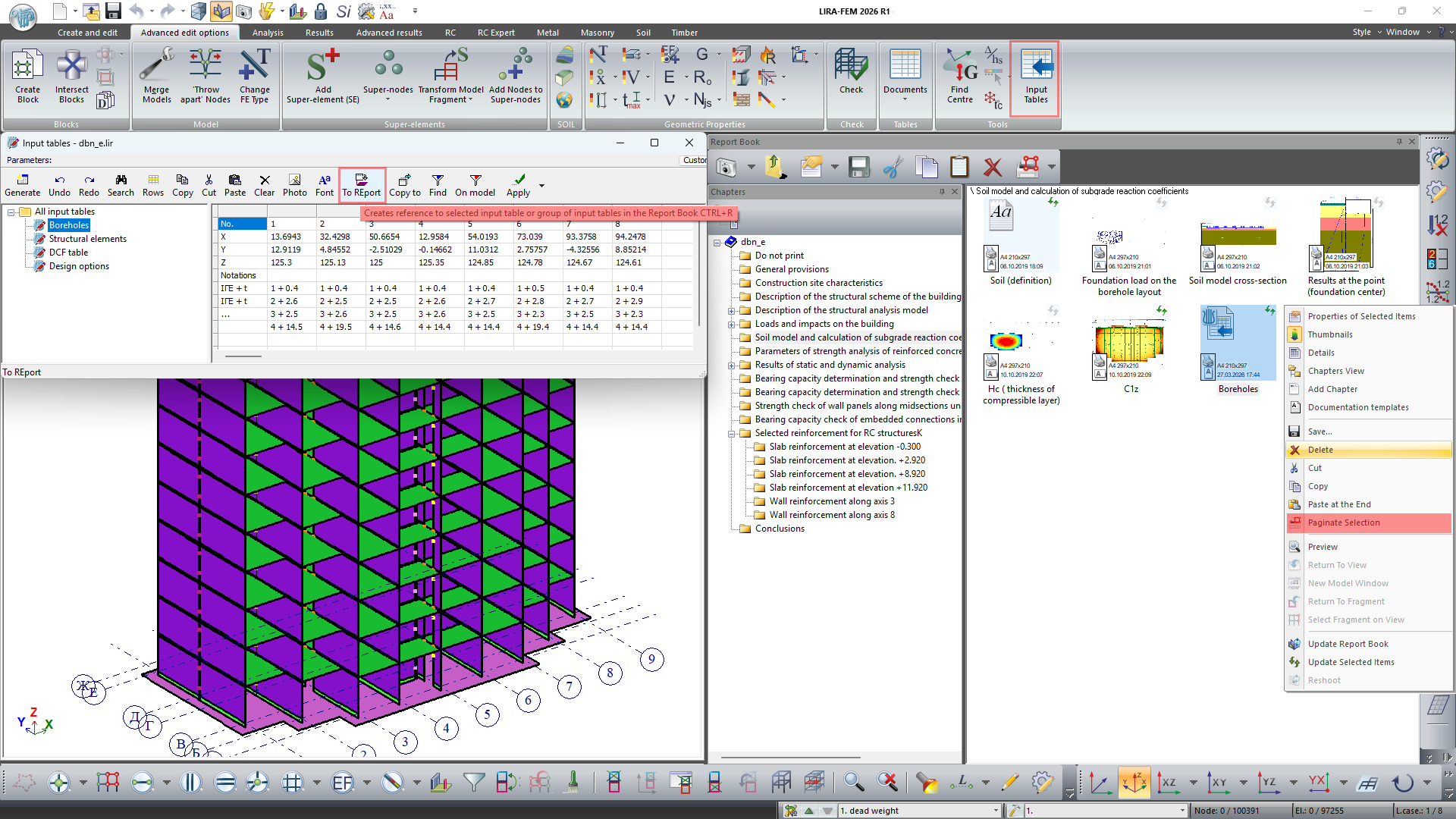
- Implemented the ability to simultaneously delete, copy, cut, and paste multiple elements of documentation templates.
- For new graphic elements (stress–strain diagrams, deformation–force, reactions, and others), a snapshot option has been implemented as an interactive screen copy.
-
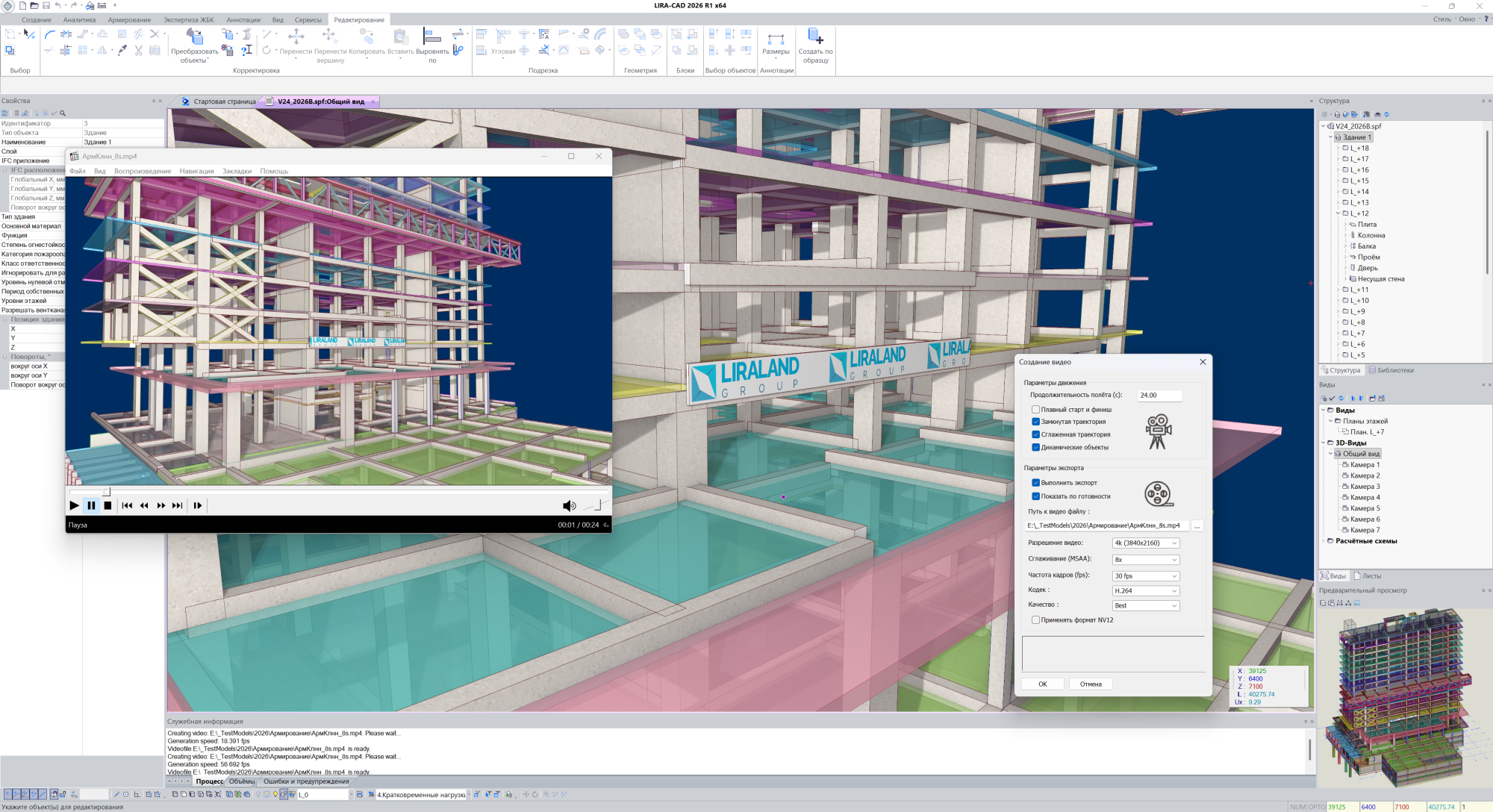
In LIRA-CAD, the ability to create MP4 videos using the H.264 codec in FullHD and 4K resolution, as well as H.265 in 8K resolution, has been integrated.
Immediately after creation, the video opens in the video player.
This feature is available both in the previous Camera Path function and in the new simplified mode: just save several camera positions in any 3D view, then use the context menu command Camera Animation to obtain a video file.
When creating the video file, options can be selected: smooth start and finish, closed trajectory, smoothed trajectory, dynamic objects.
When the smoothed trajectory option is selected, the camera and viewpoint reference point move along a smooth spatial curve obtained by interpolation between key points using Catmull–Rom spline algorithms.
Available resolutions: FullHD, 4K, and 8K. Hardware anti-aliasing with 4 or 8 samples for maximum smoothness without performance loss. Frame rate — 30 or 60 fps. Three levels of packing density affecting file size and image quality.
- Implemented the option to add measurement units for interactive copies with mosaics / isofields / diagrams of input data and calculation results for the figure name in the Report Book.
- Added a label on the icon of the interactive screen copy in the Report Book showing the time and date of snapshot creation/update.
- Added the Add Section option to the Report Book context menu. A section is a folder that can store other elements of the Report Book.