

Report Book
Everything you need to create reports in one place: screenshots, analytical tables, and on-demand data updates when the design model is modified.
Structured technical documentation
Report Book is a tool for creating complete, structured technical documentation based on analysis results obtained in LIRA-FEM program. The title page, table of contents, structured chapters, interactive screenshots, and tables are all automatically generated in the system.
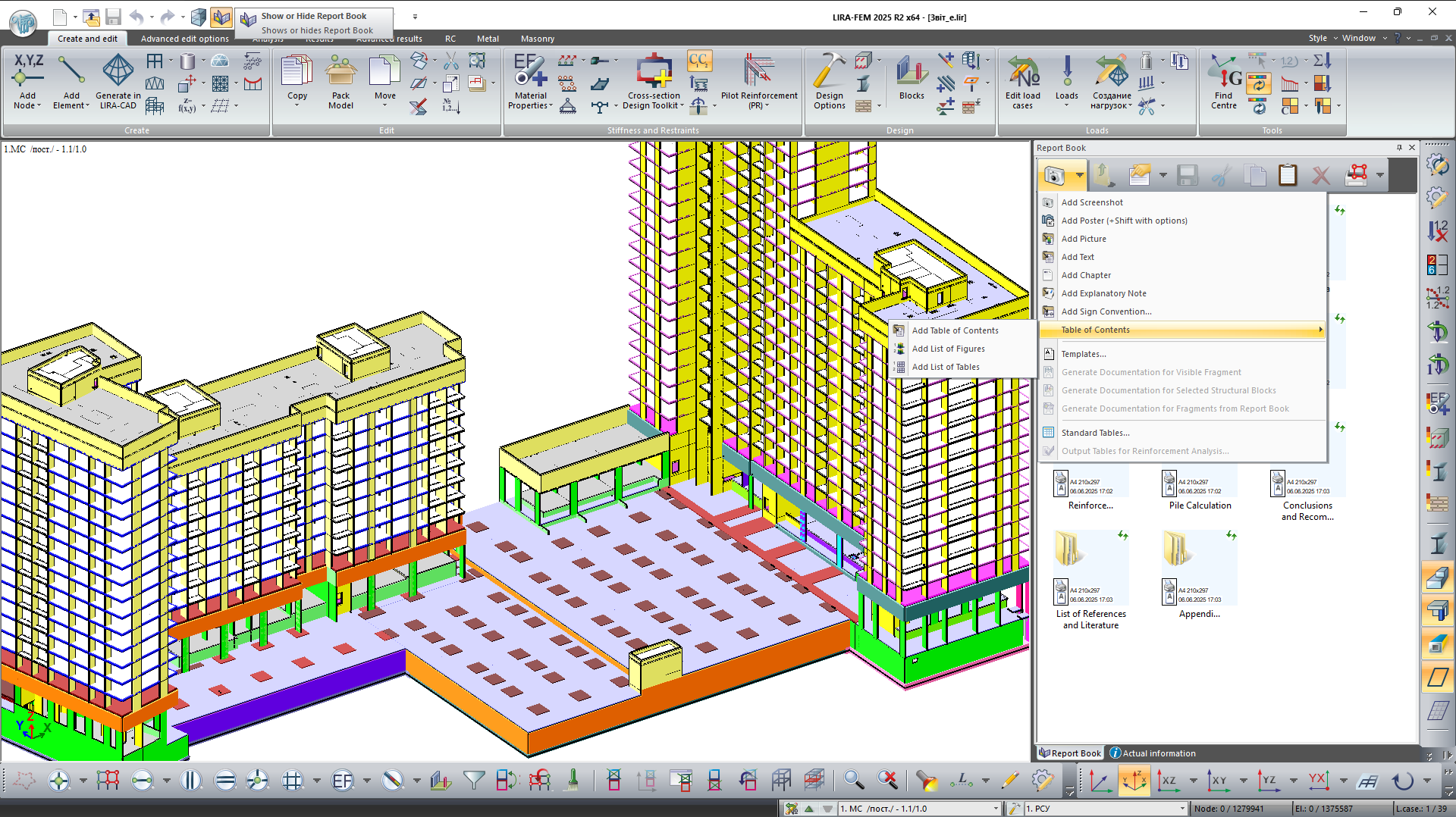
Complete report structure
Automatic generation of the title page, table of contents with page numbering, chapters, tables, images, and external links.
Hierarchical presentation
The report is presented as a tree structure with the ability to group data into logical chapters.
Interactive elements
Screenshots and tables remain linked to the design model and can be updated when the model is modified.
Interactive screenshots
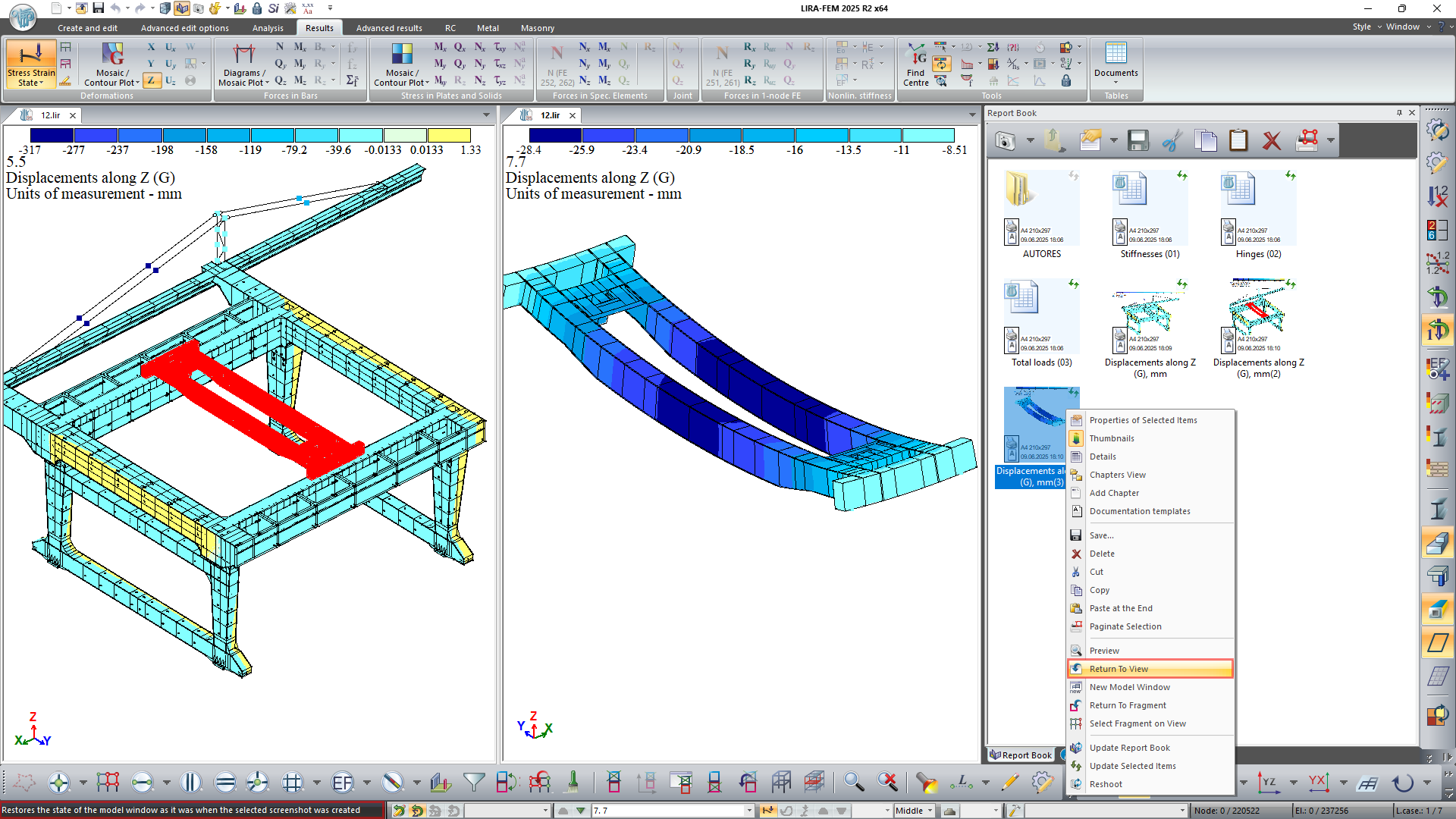
With interactive screenshots, you may rapidly return to a particular state or fragment of the design model while saving the current view. This feature is very helpful for future model navigation and for recording important computation stages.
Screenshots support automatic updating according to the current model state, including element renumbering, changes in triangulation, loads, and analysis parameters.
Standard tables
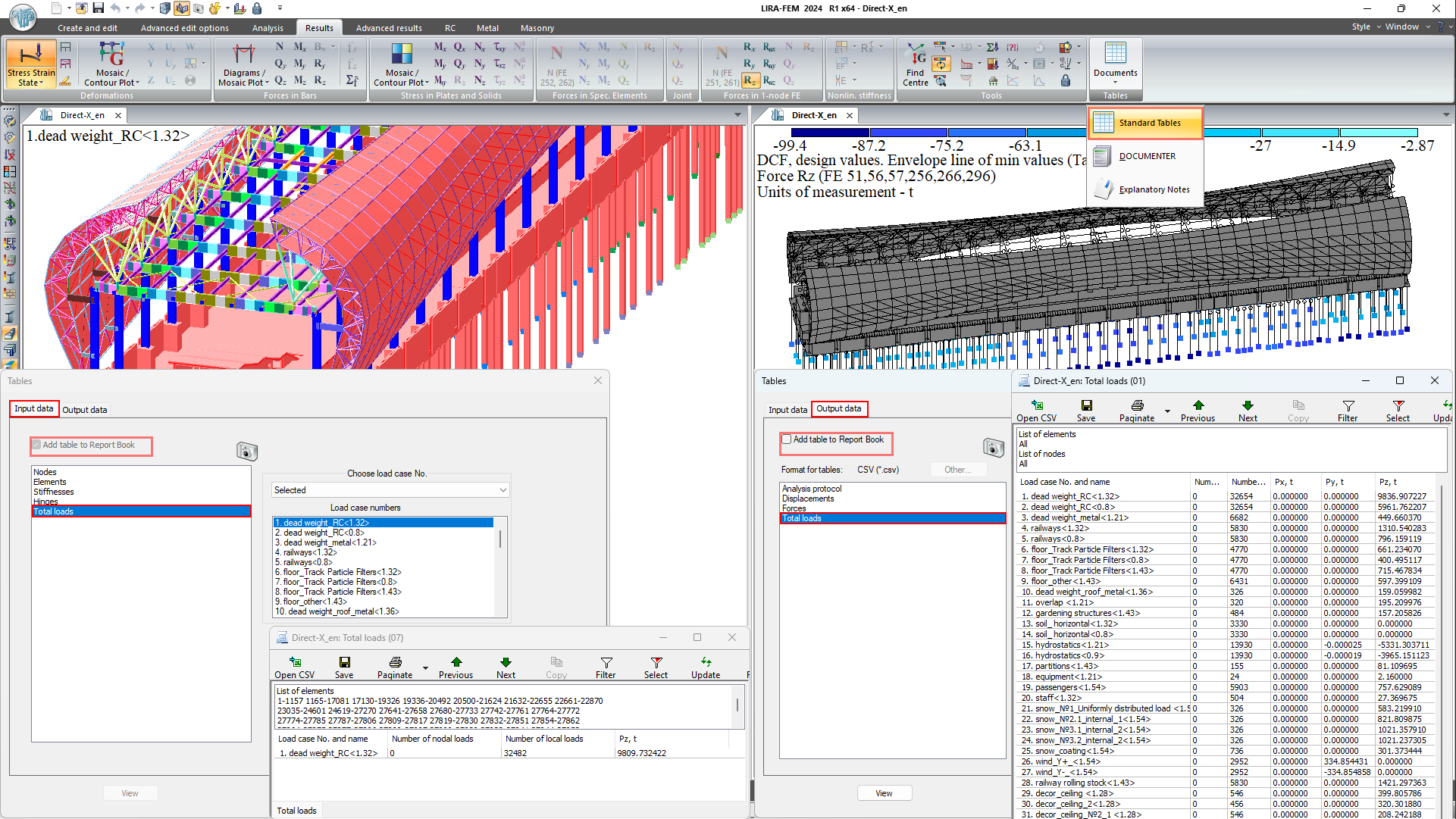
Tables of input and output data support sorting, filtering, searching for extreme values, selecting elements on the model, and updating data on demand when the design model is modified. Data can be exported to CSV format or viewed in MS Excel.
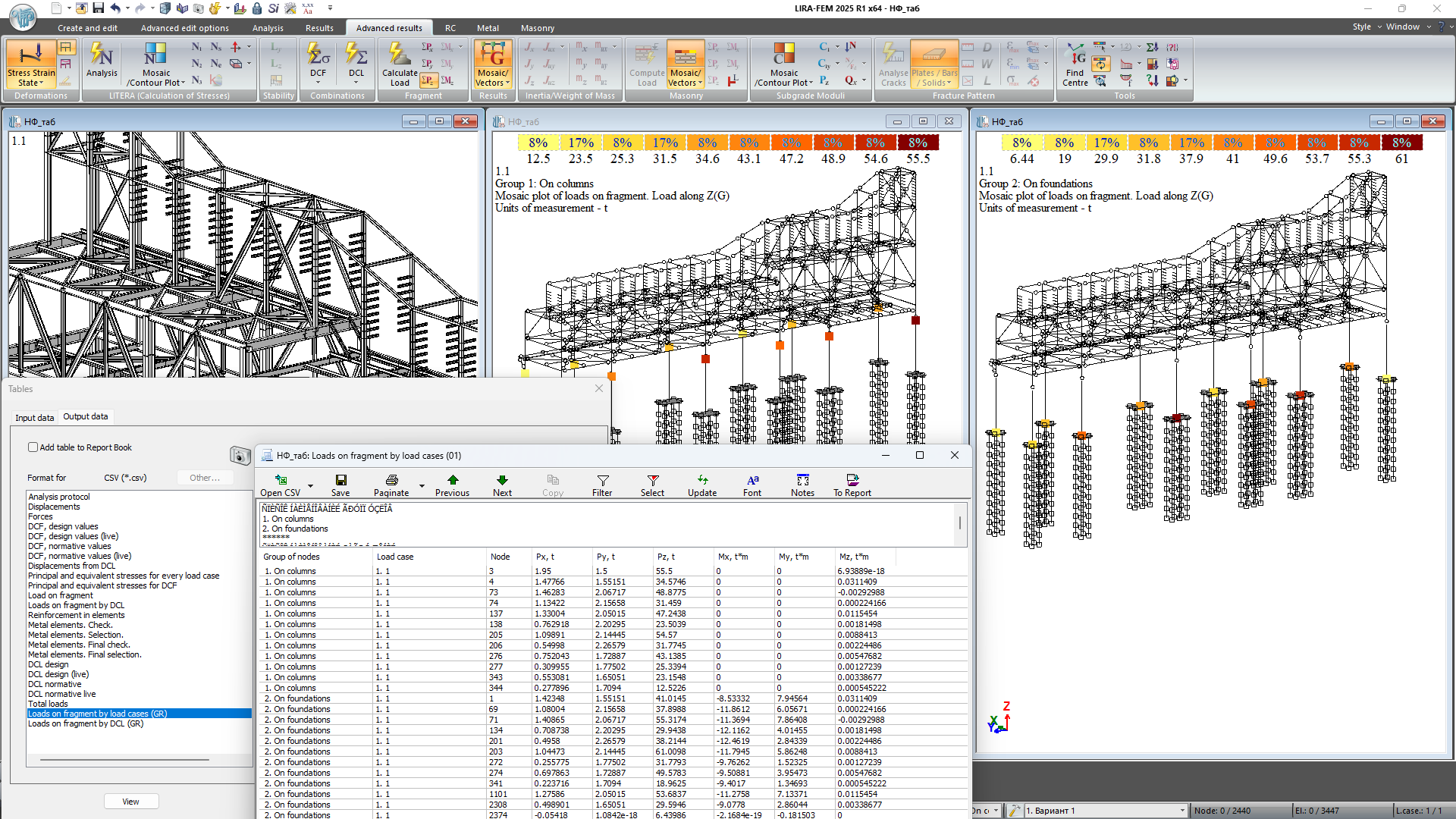
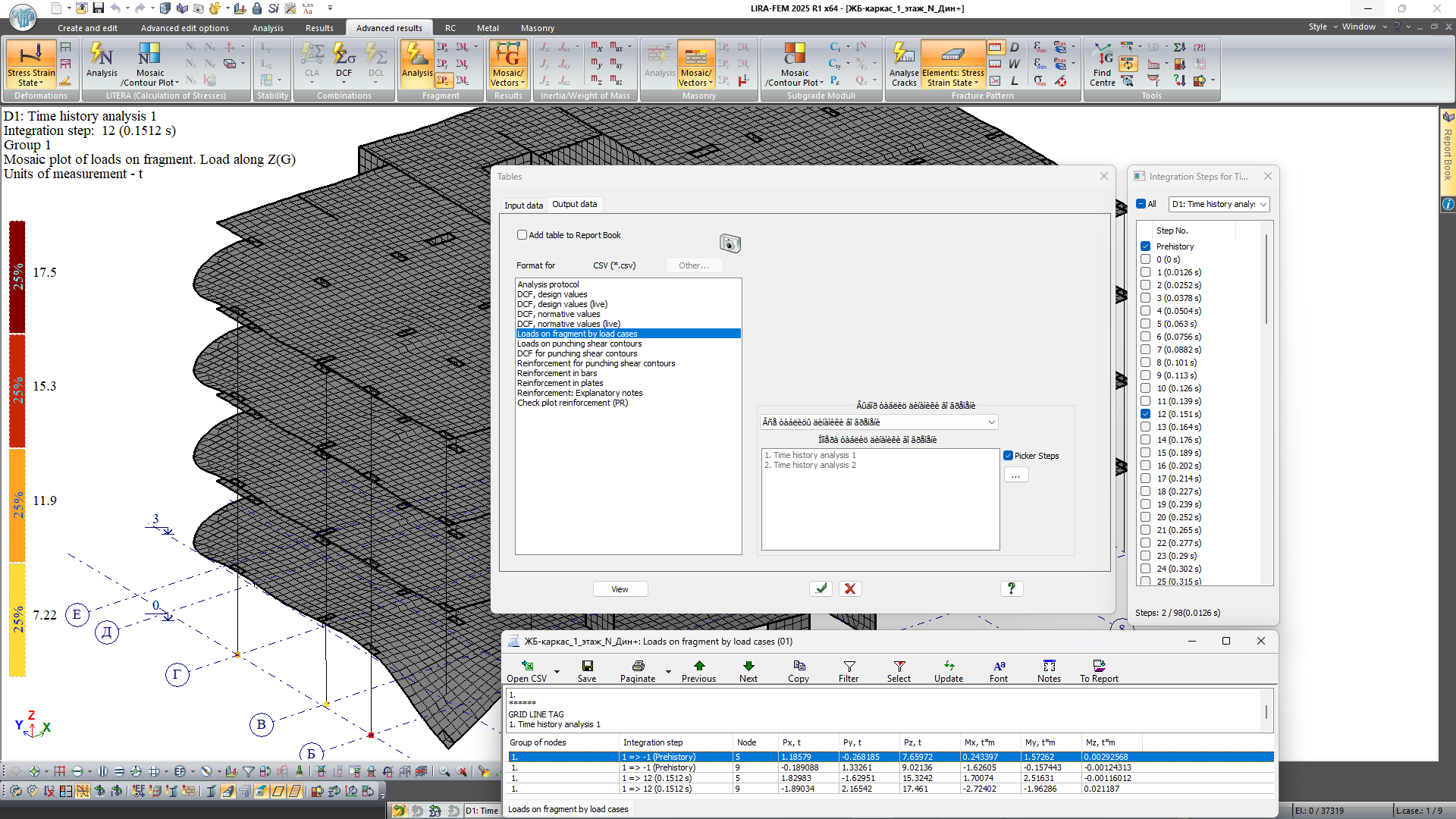
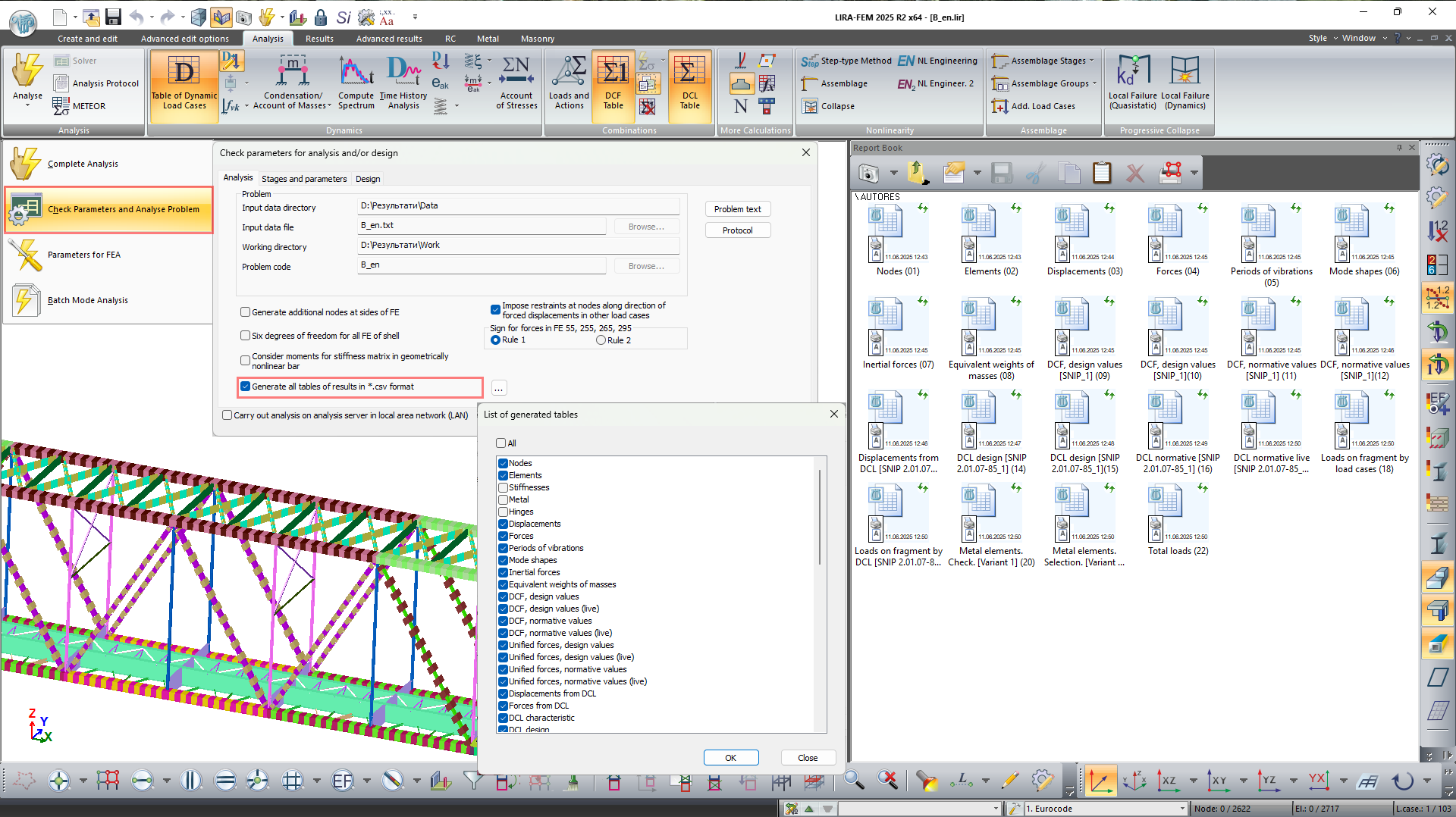
Tables may be automatically generated in the CSV format; this option can be configured via the "List of generated tables" window.
Import and links to external materials
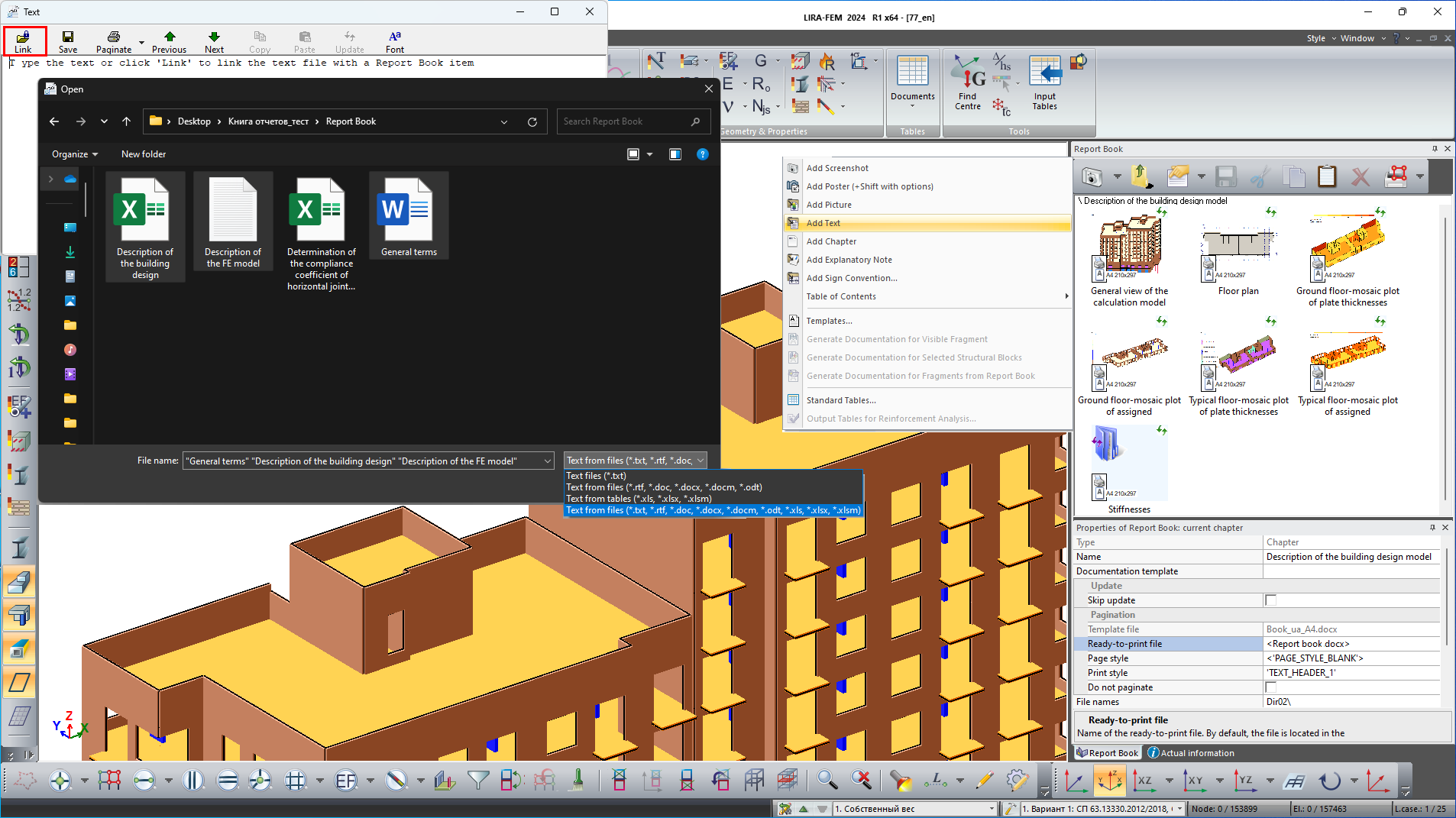
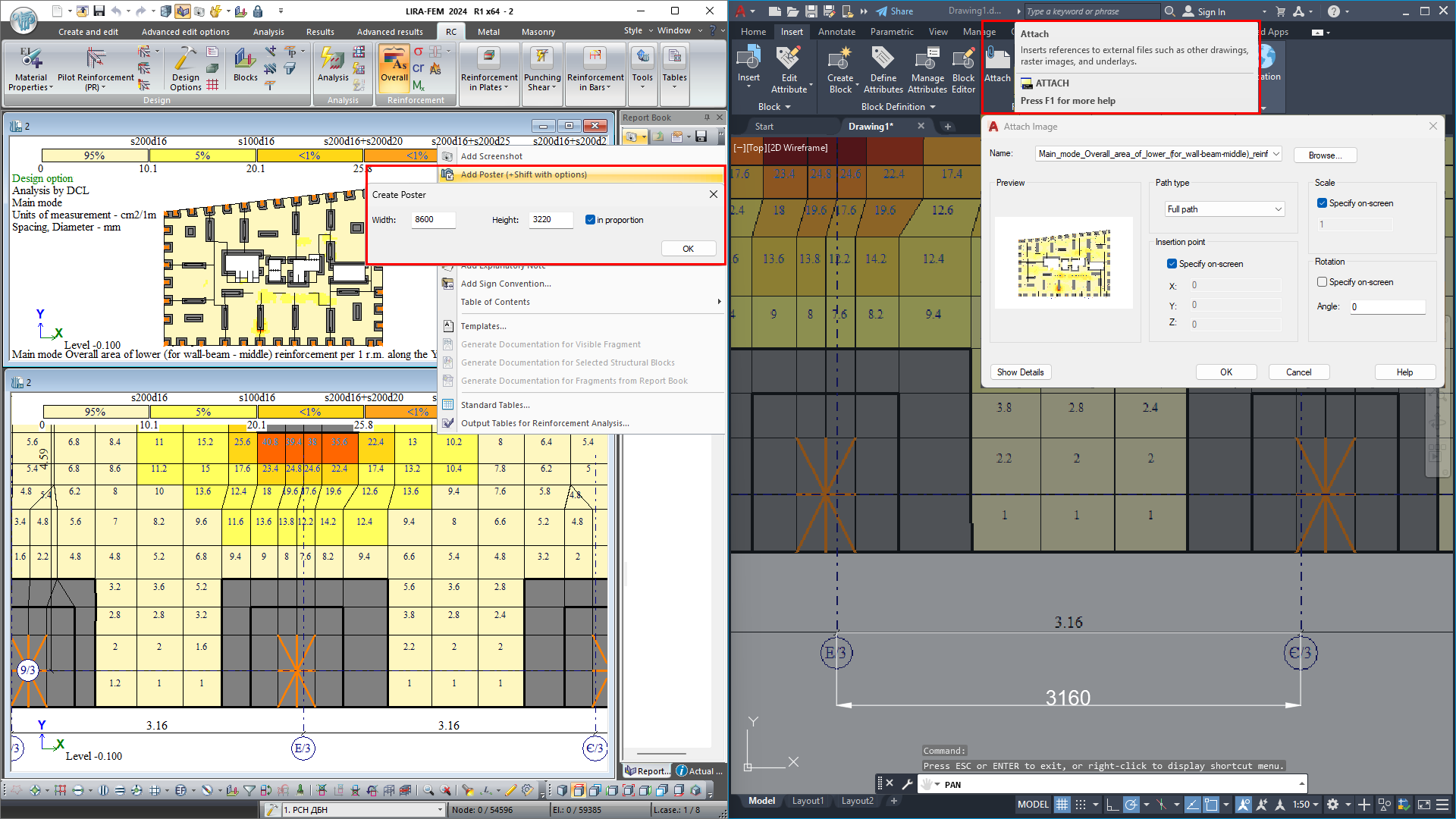
Users can add raster images (.jpg, .png, .bmp, .gif, .emf, .wmf) and documents (.txt, .rtf, .doc(x), .xls(x)) to the report. All added tables and images are automatically assigned names that correspond to the names of their source files.
Documentation templates
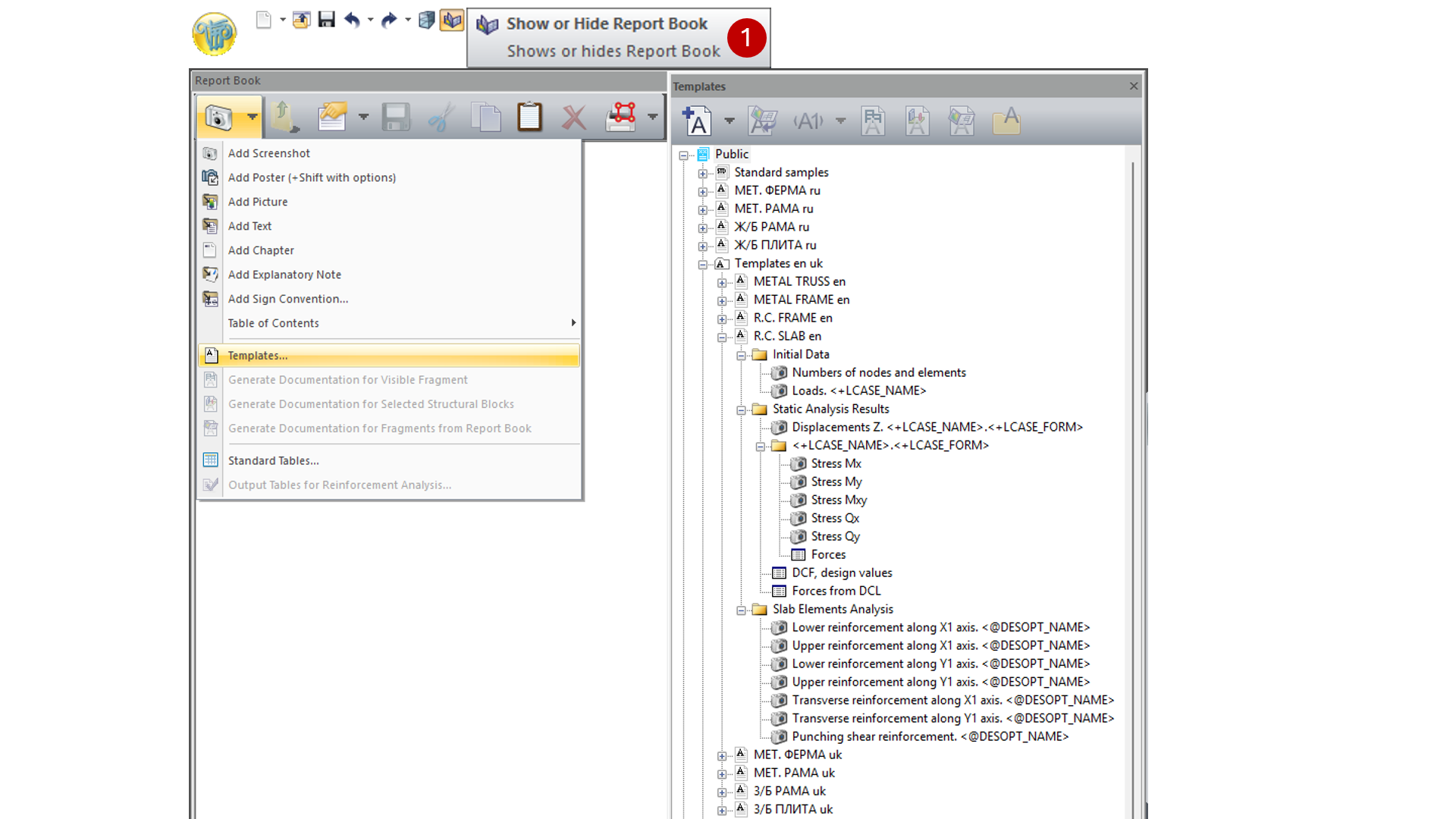
Using templates, reports created for one structure can be easily adapted for another similar structure.
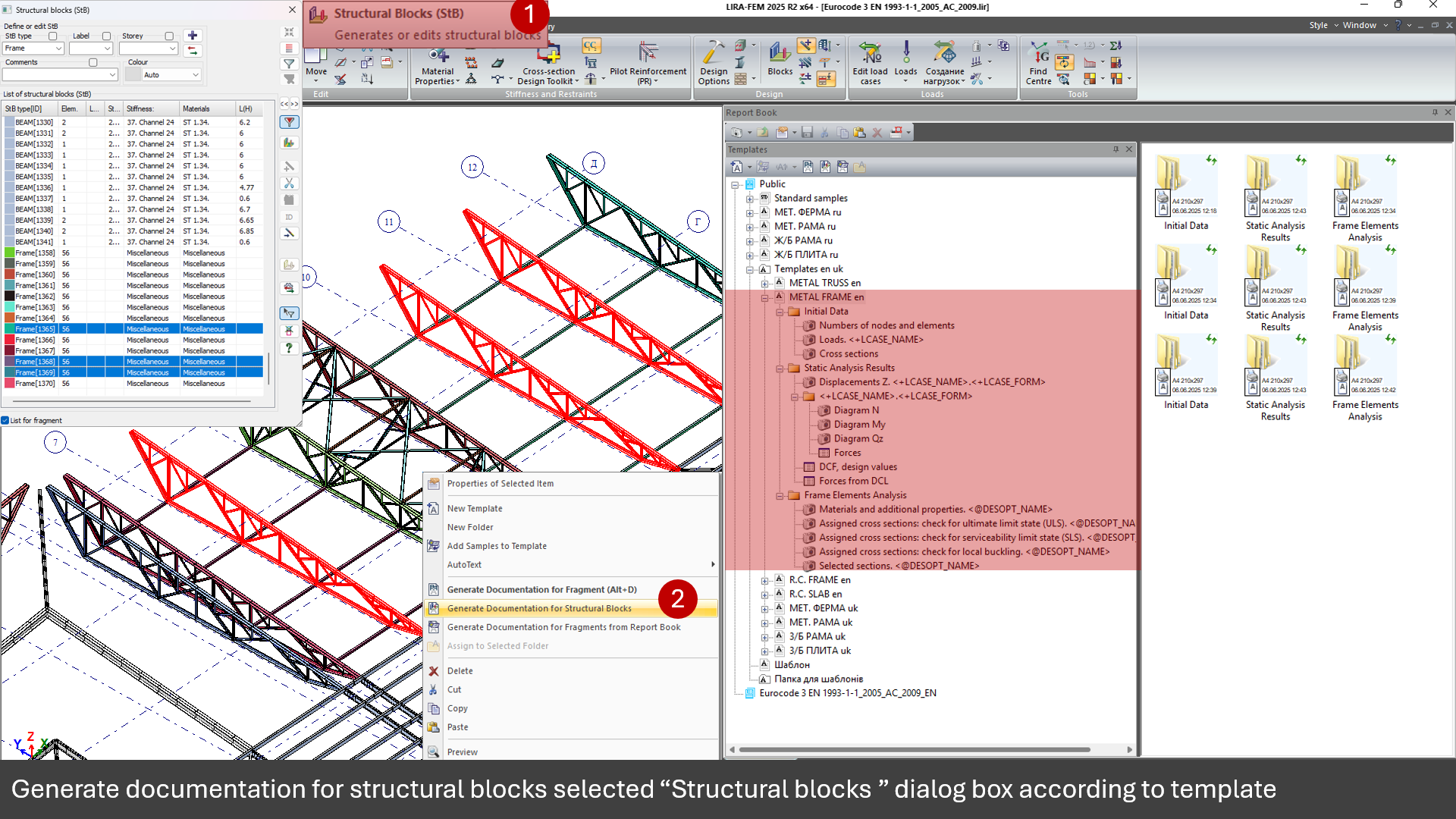
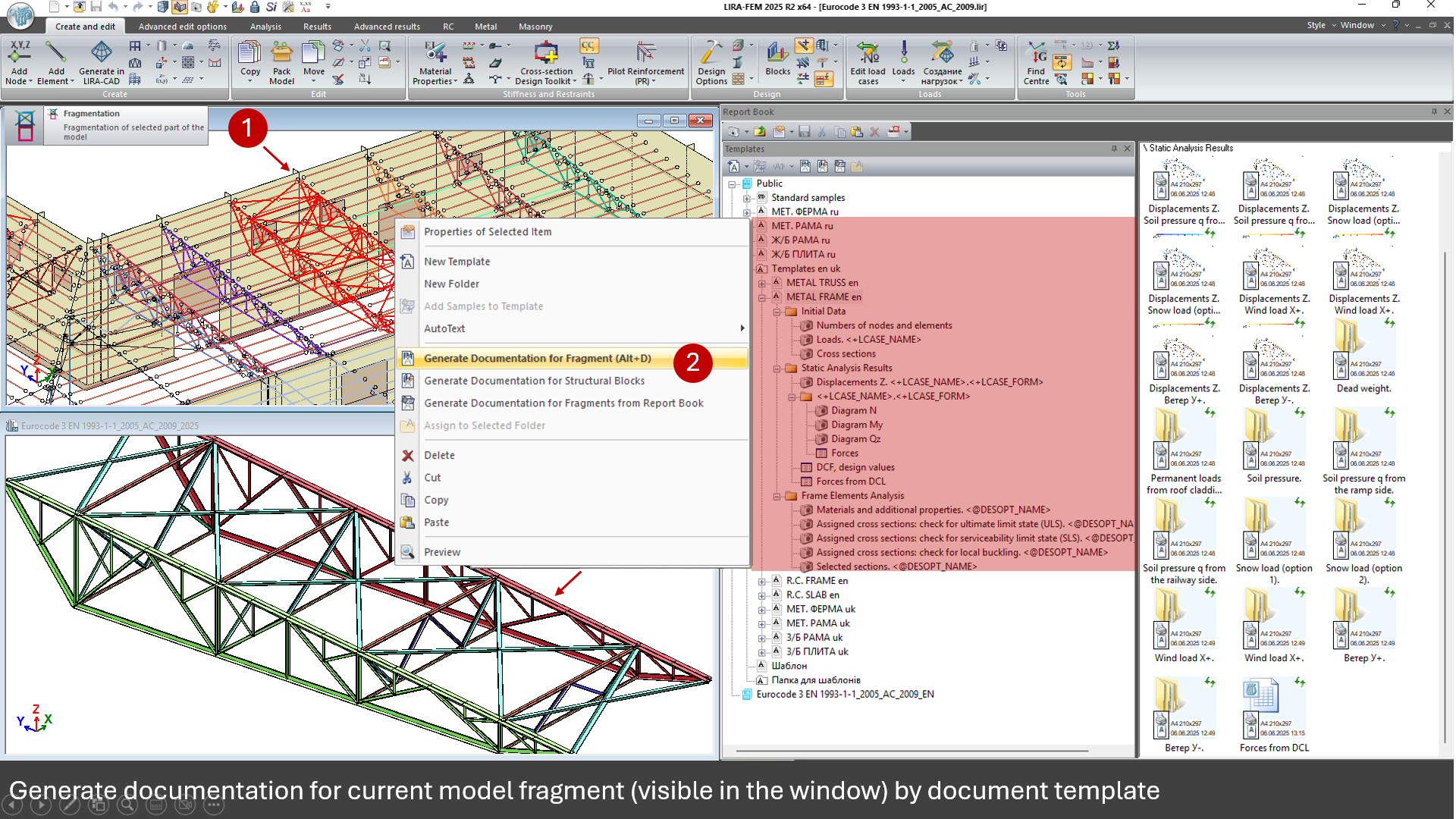
Standard templates are available for different types of structure, including steel trusses, steel or reinforced concrete frames, and slabs. Users can customize these templates and extend the library with their own documentation templates. Documentation on a template is generated either for a selected model fragment or for a structural block.
Flexible document structure
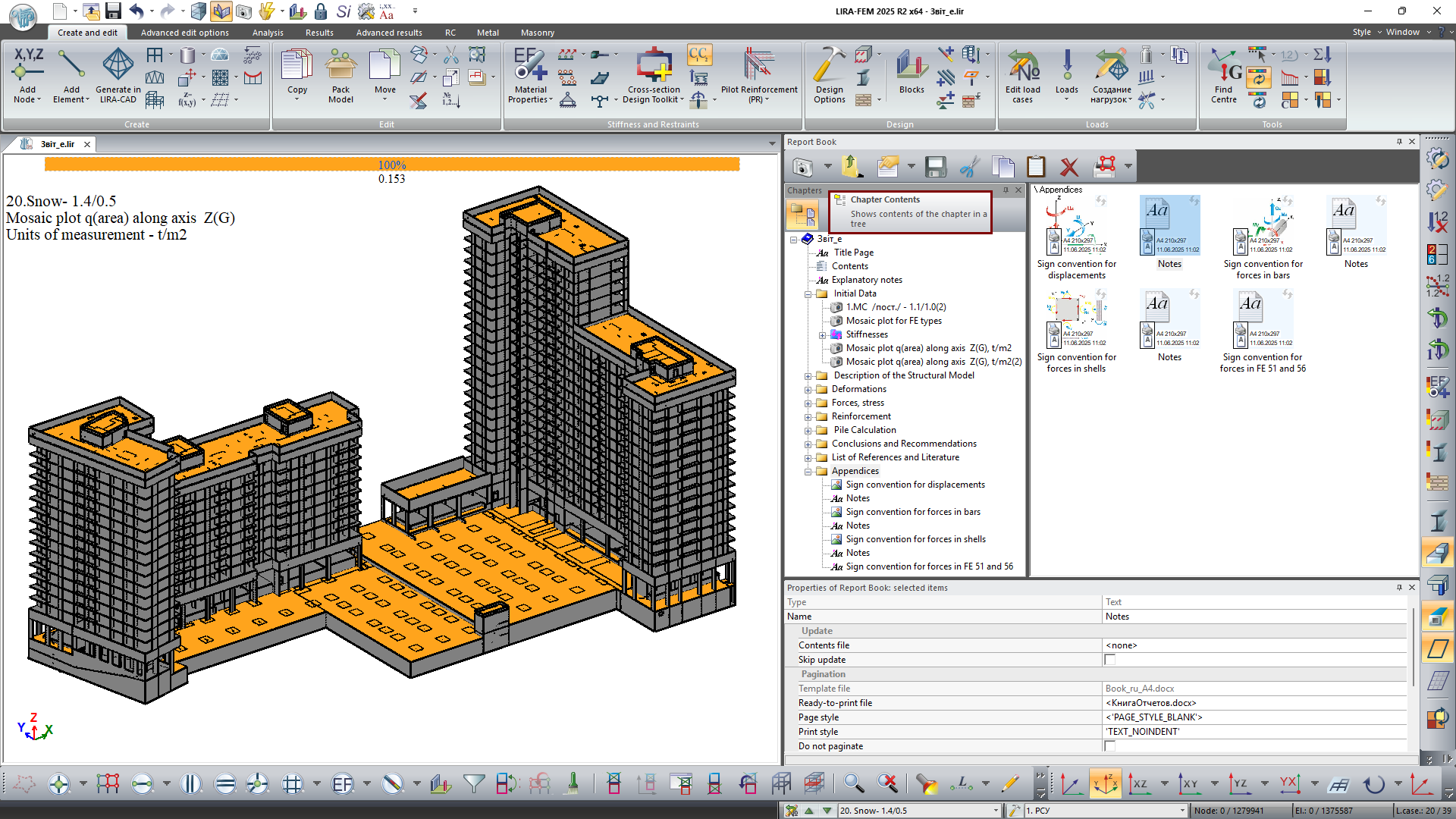
Users can create chapters, add custom text and graphics, and build a hierarchical tree-structured database.
Customizable layout and formatting
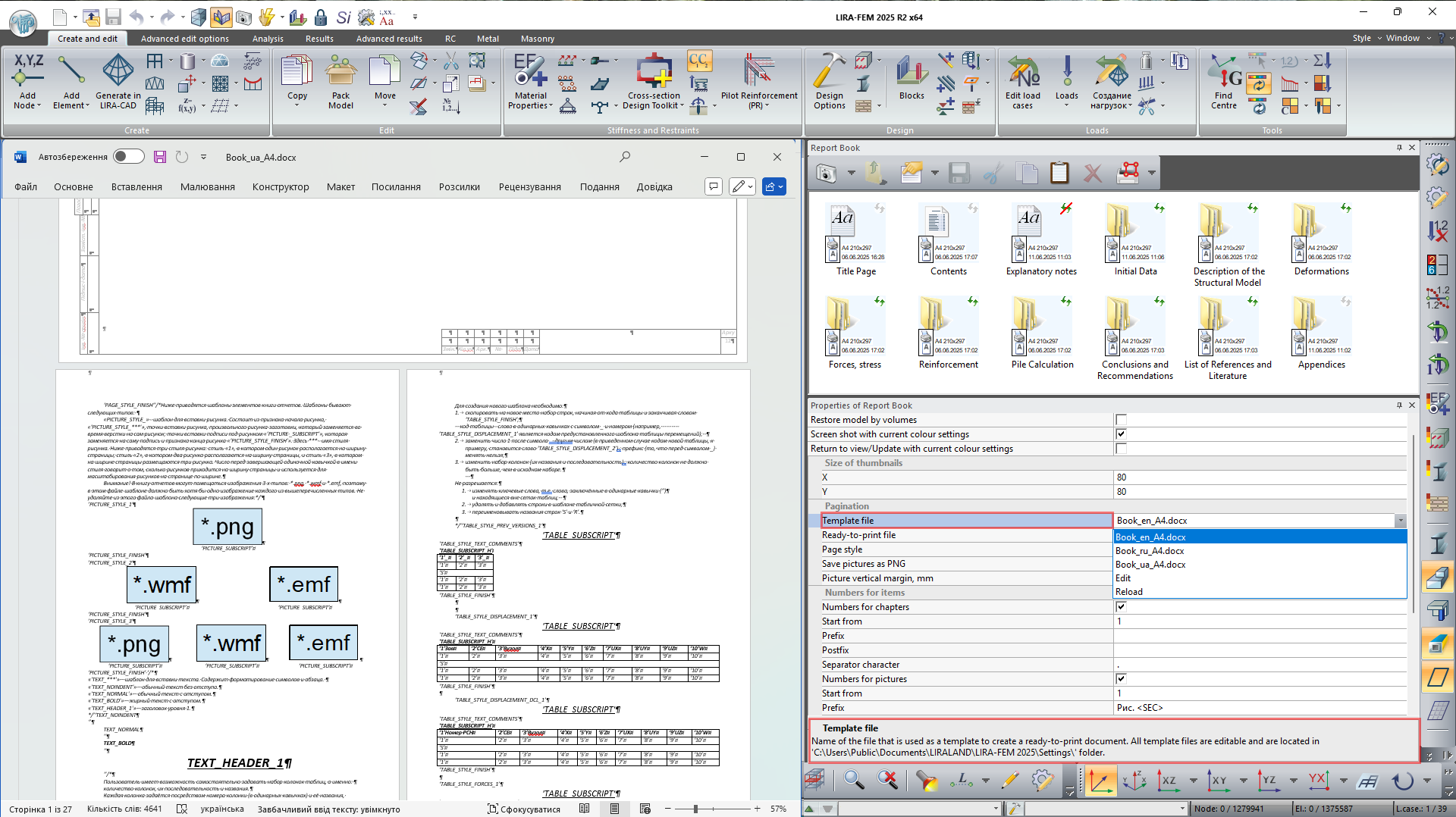
Before document layout is generated, users can define print styles, including fonts, headers and footers, title blocks, page sizes, and page orientation. These settings are configured using layout templates stored in a certain system folder.
Auto update and layout generation
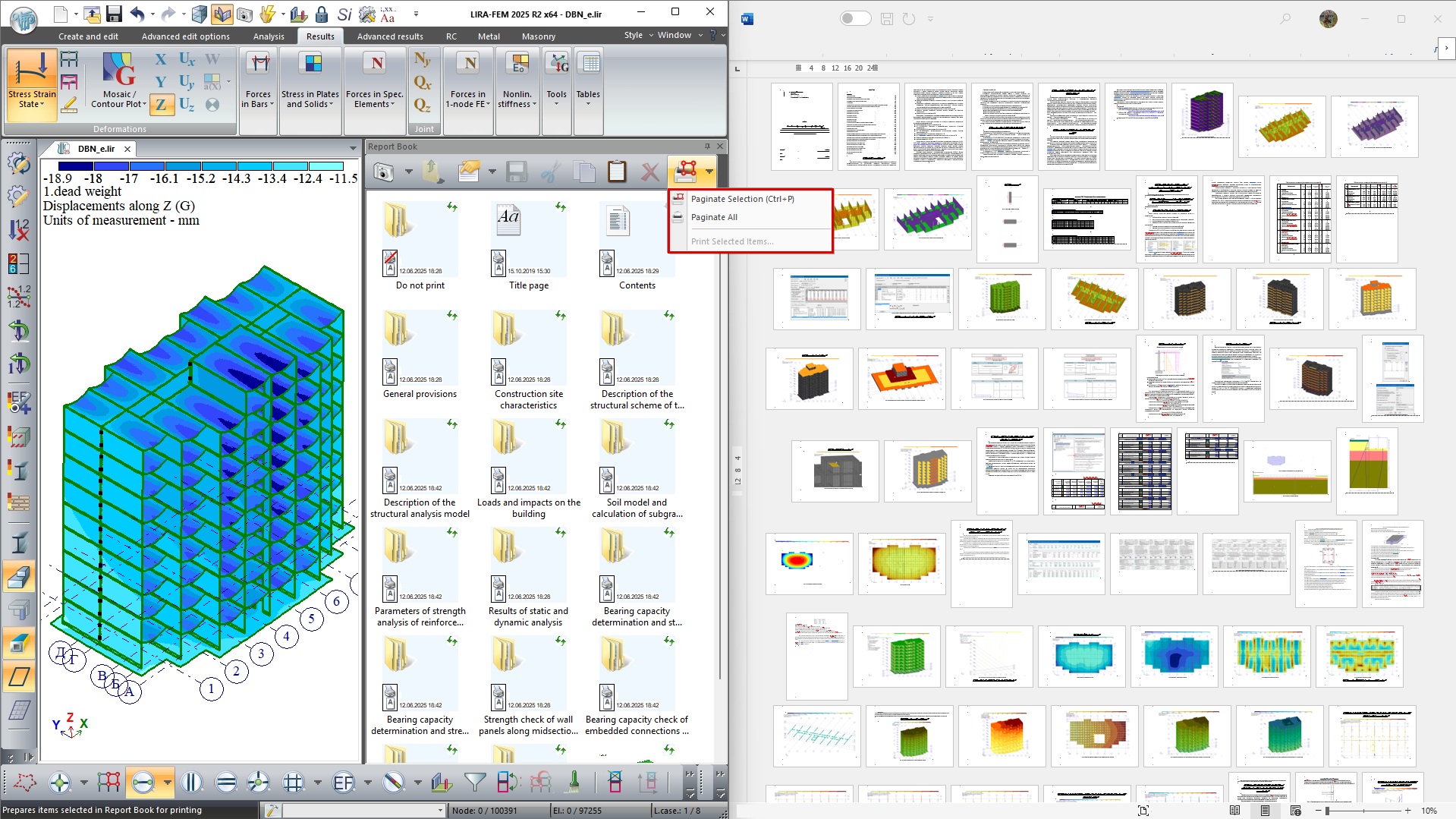
All tables and images in the report can be updated to reflect the current state of the design model.
All report components (title page, table of contents with page numbering, screen captures, tables, text blocks, and images) are automatically generated in DOCX (MS Word), ODT (OpenOffice), or HTML formats, ensuring the document is ready for printing and further editing.
It is also possible to generate one or multiple files containing separate parts of the report.
Benefits of the Report Book
- Process automation — significantly reduces the time that engineers spend preparing technical reports.
- Up-to-date information — interactive elements can be automatically updated when the model is modified.
- Flexible configuration — extensive flexibility when creating templates, styles, and documentation structure.
- Versatility — suitable both for internal reporting and for delivering documentation to clients, review authorities, or archives.
- Integration with other environments — export to CSV, DOCX, and PDF, compatibility with Excel and graphic editors.
- Scalability — supports large projects, complex design models, and large numbers of tables and images.
Evaluate the software
If you have any doubt, download the Demo version and evaluate the program or contact our Support Team for more details.