

LIRA-FEM — Unified graphical user interface (VISOR)
VISOR is a universal environment for working with computational models within LIRA-FEM, covering all stages of their preparation and analysis. It provides model import and export, creation and editing of the computational model, quality control of its preparation, analysis of results, and automated generation of technical documentation.
Model Import/Export and Integration with LIRA-CAD
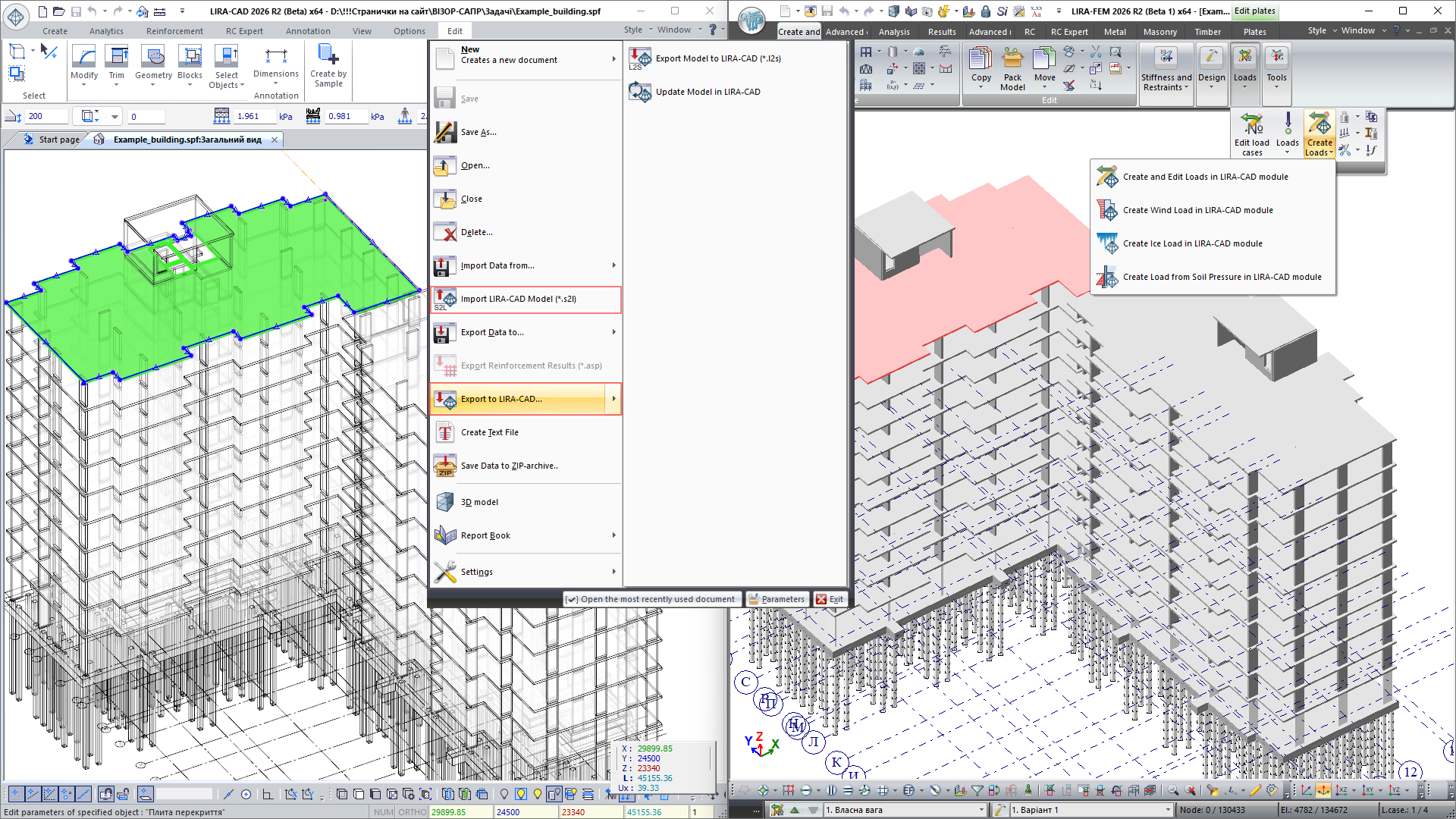
VISOR supports importing models and geometry from *.ifc, *.dxf, *.stp, *.LiraKM, *.mdb, *.msh, *.stl, *.obj, *.sli, and other specialized data exchange formats.
Close integration with LIRA-CAD provides two-way data exchange between the CAD model and the FEM model. It supports importing the analytical model and its associated computational data in *.s2l format, as well as updating the LIRA-CAD model based on changes made in VISOR.
Two-way data exchange with Tekla Structures and integration with Autodesk Revit have been implemented.
Creating and Adjusting the FEM Model
VISOR provides a wide range of tools for creating, visually inspecting, and adjusting finite-element and superelement models of building structures of any level of complexity.

The system allows you to build adequate FEM models using bar, plate, shell, solid, and special finite elements, to define the physical and mechanical properties of materials, constraints, static and dynamic loads, as well as relationships between loadings for the automatic generation of load combinations and determination of the most unfavorable combinations of effects.
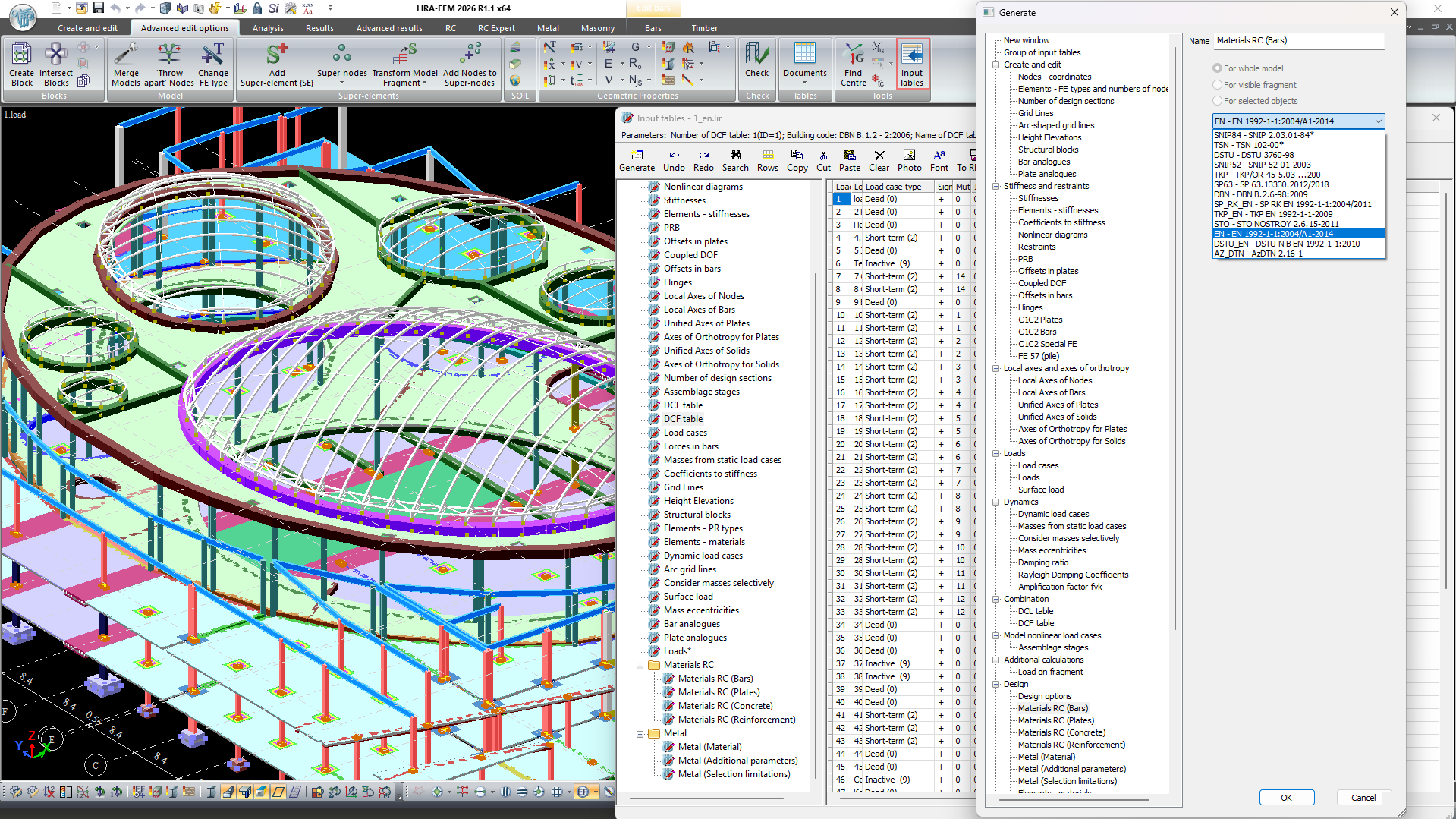
Input tables are an alternative to the graphical interface. This tool is designed for quickly creating schemes from text tables, and for mass editing and updating computational model parameters in tabular format. It also automates data exchange with other programs through support for the LIRA-FEM API.
For large computational schemes, tools are provided for working with model fragments and for local analysis of individual structural elements and nodes, which significantly simplifies working with complex spatial systems.
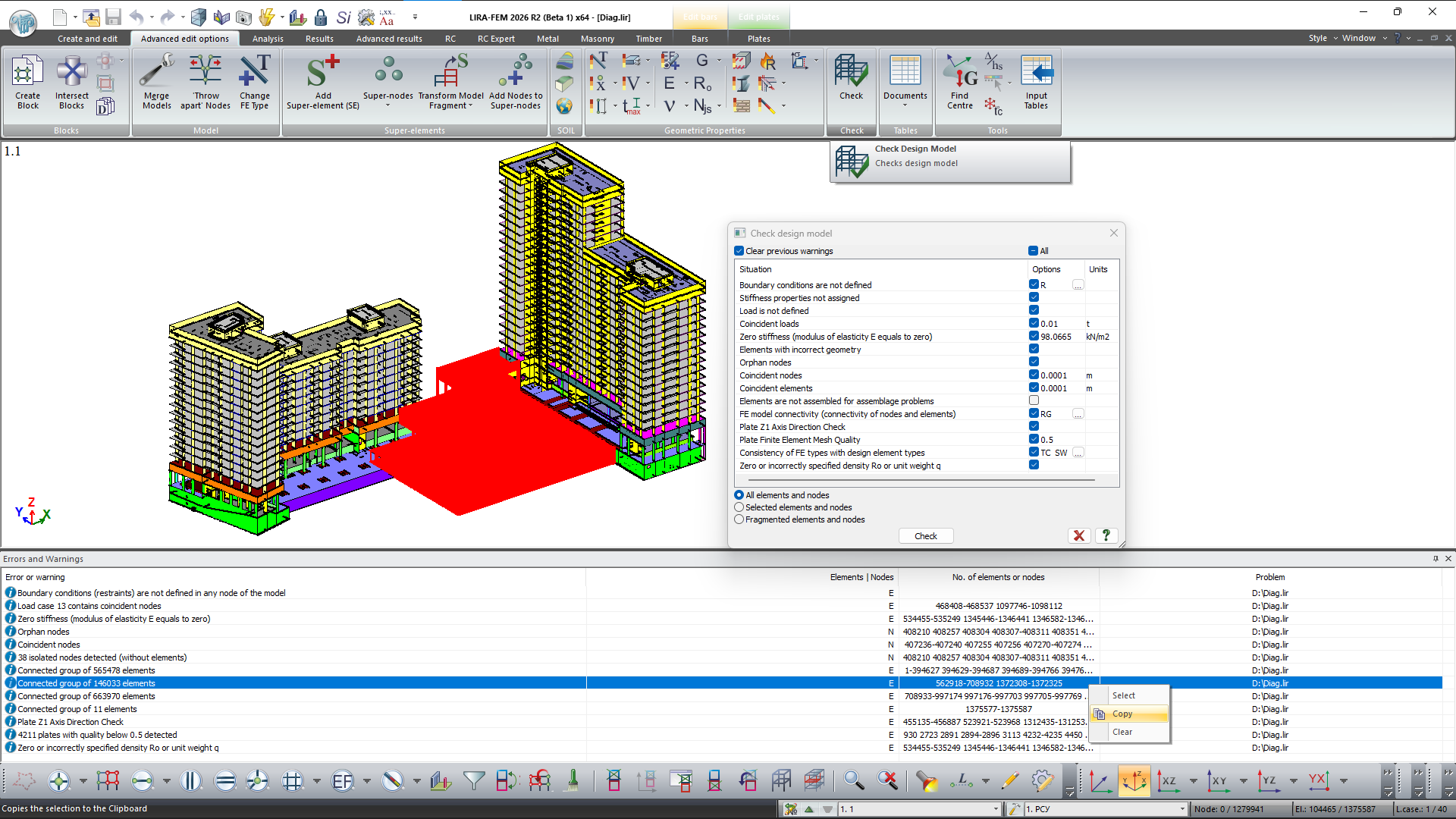
To check the quality of the prepared model, tools are implemented for controlling geometry, topology, boundary conditions, loads, and other model parameters. Built-in diagnostic tools make it possible to detect potential modeling errors before the analysis is even started.
Modern Interface and High Performance
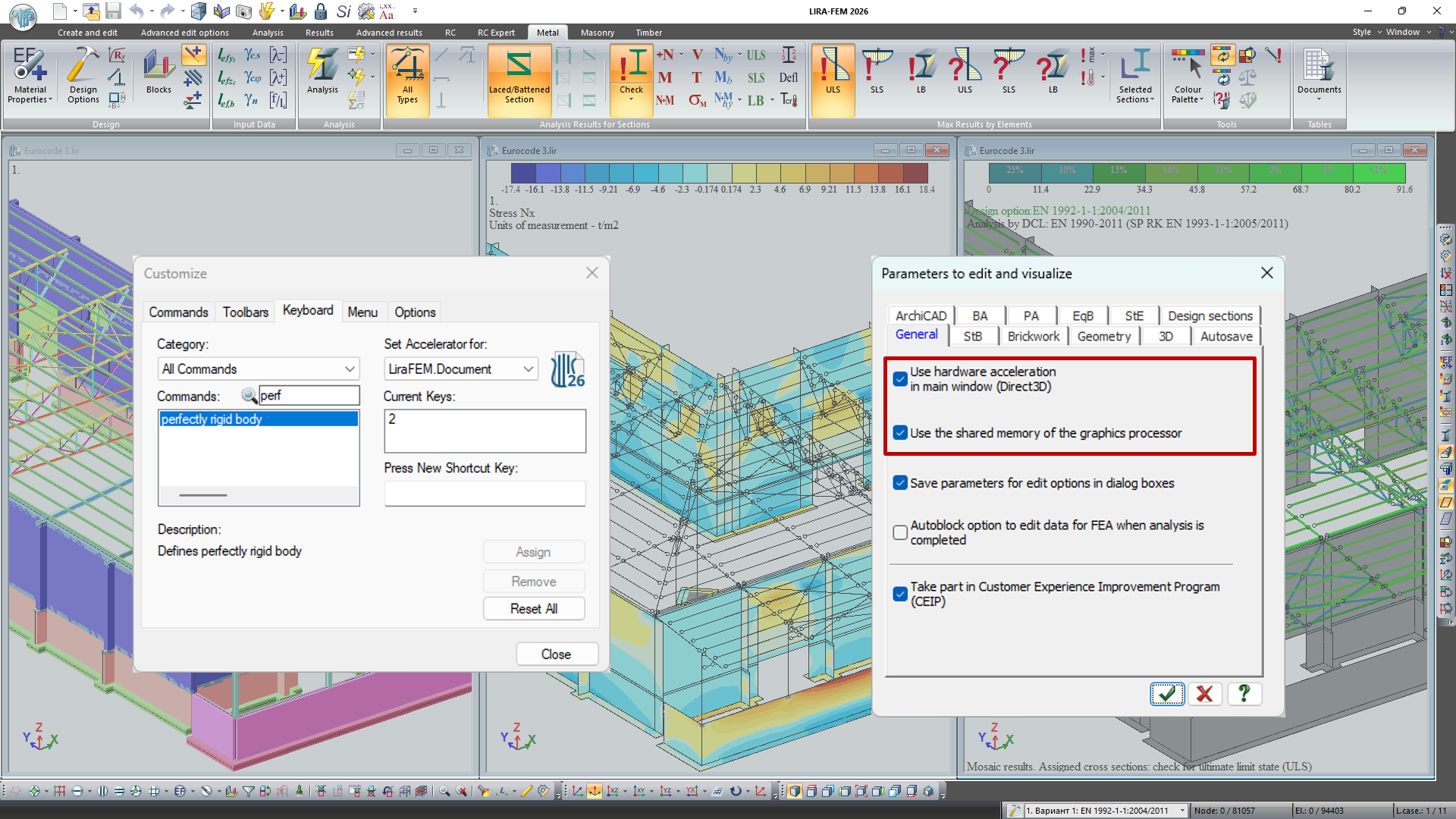
For comfortable work, VISOR features a ribbon interface with configurable toolbars, hotkeys, and user workspace. Interface settings can be saved and transferred to other workstations.
Support for multi-window mode allows you to work simultaneously with different views of the model, loads, and analysis results, while the use of DirectX technology ensures high visualization speed even for large computational schemes.
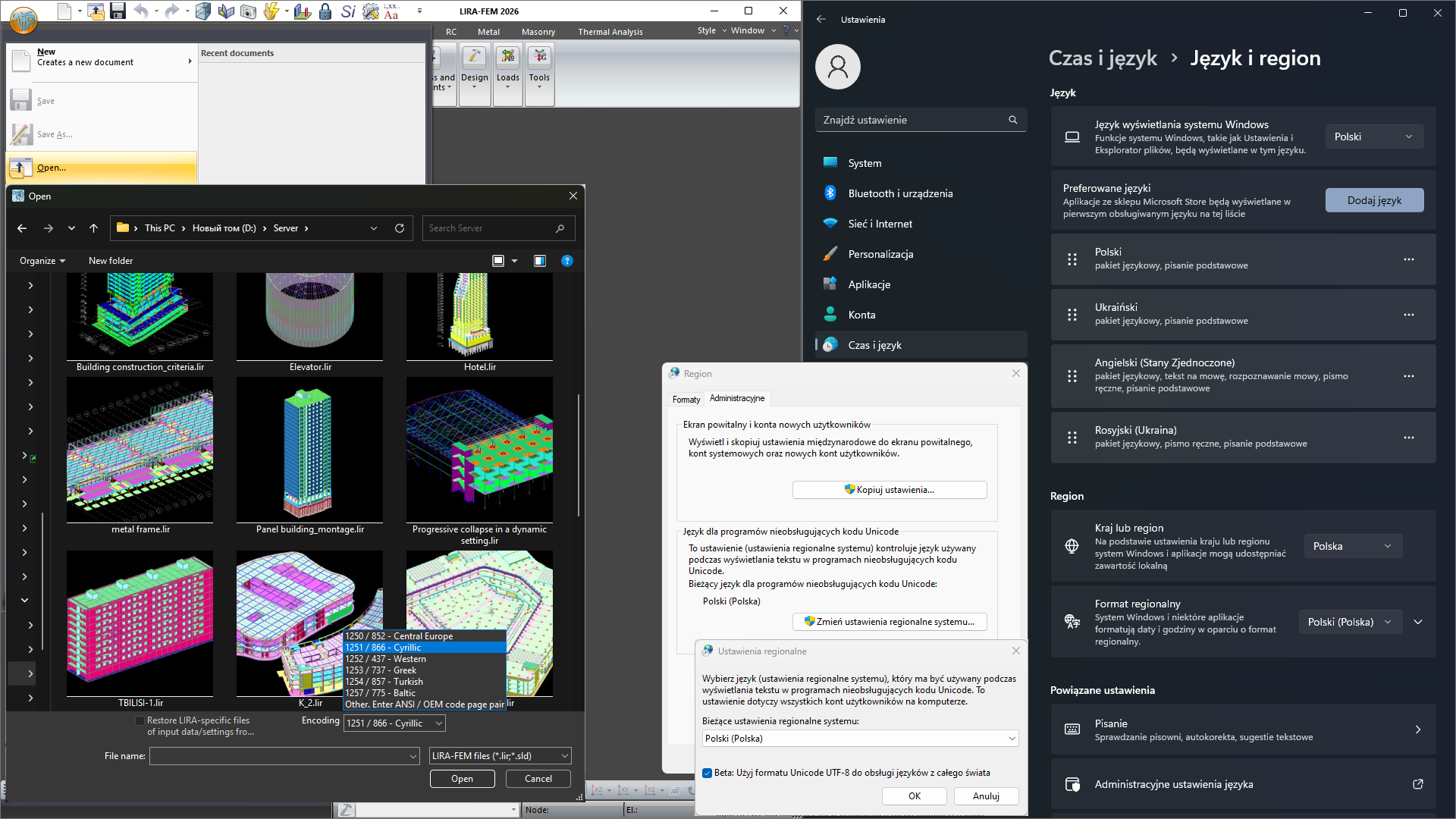
The program supports 4K displays, Unicode, and a multilingual interface, and also allows the use of different systems of measurement units at any stage of model creation and results analysis.
The VISOR interface offers extensive options for personalizing the working environment: configuring the color palette for the background, model elements, and result mosaics; choosing fonts and their sizes; defining paths to base directories for storing source data and analysis results; and setting parameters for hardware or software 3D graphics acceleration.
The system supports an unlimited number of Undo/Redo steps at all stages of model preparation and results analysis, as well as automatic project saving and recovery of the computational model from internal LIRA files in the event of an operating system or hardware failure.
Results
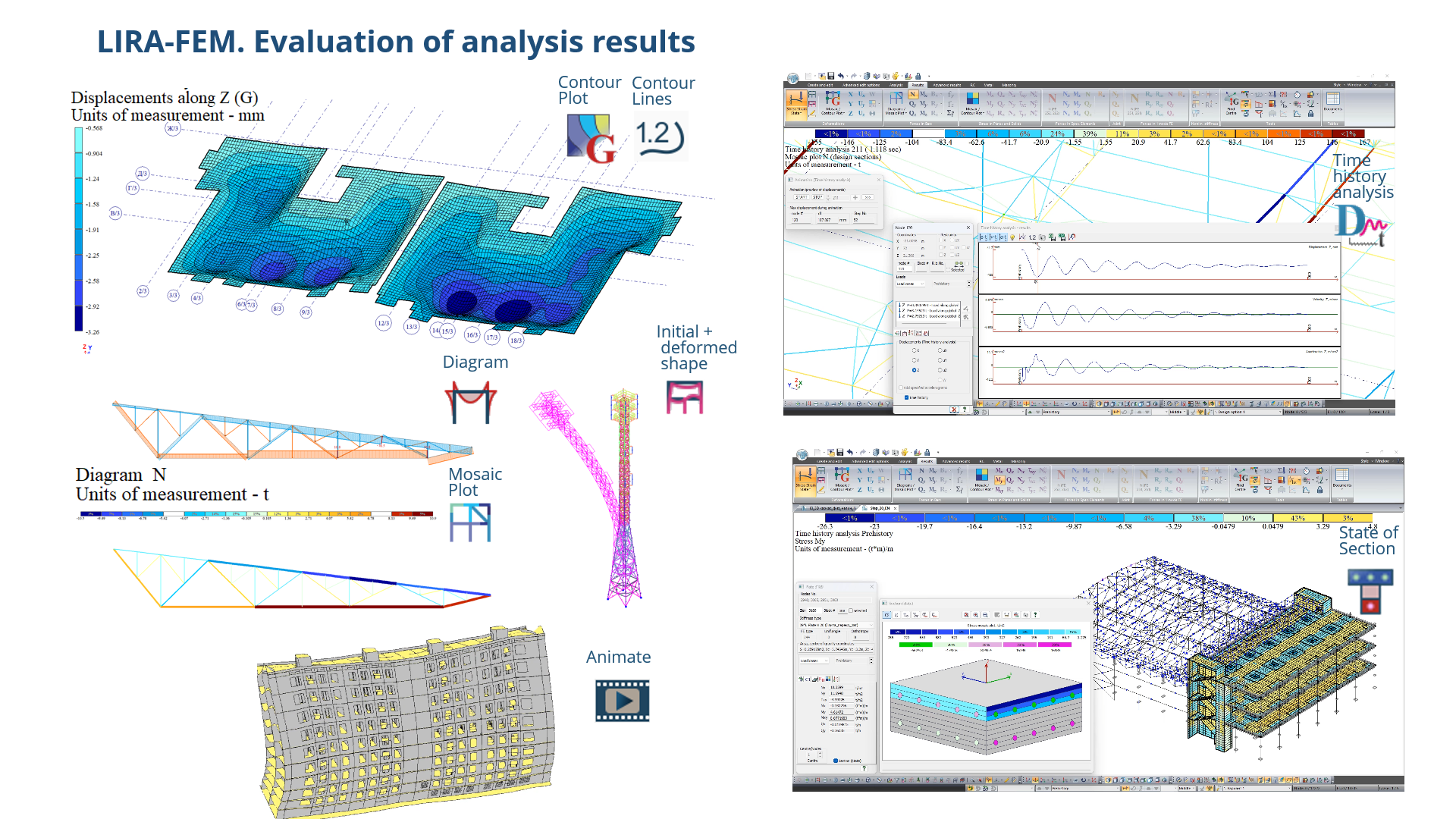
The parameters of the processor can be managed directly from VISOR. After the analysis is complete, VISOR provides a wide range of tools for graphical and tabular analysis of results, both for the entire structure and for individual nodes, elements, and sections.
To study the stress-strain state (SSS), isofields, isolines, diagrams, and mosaics of displacements, forces, stresses, and deformations are available, as well as results for principal and equivalent stresses, deflections, and failure criteria.
For a more illustrative analysis, the construction of deformed schemes, animation of displacements, mode shapes of natural vibrations, and buckling mode shapes of the structure has been implemented.
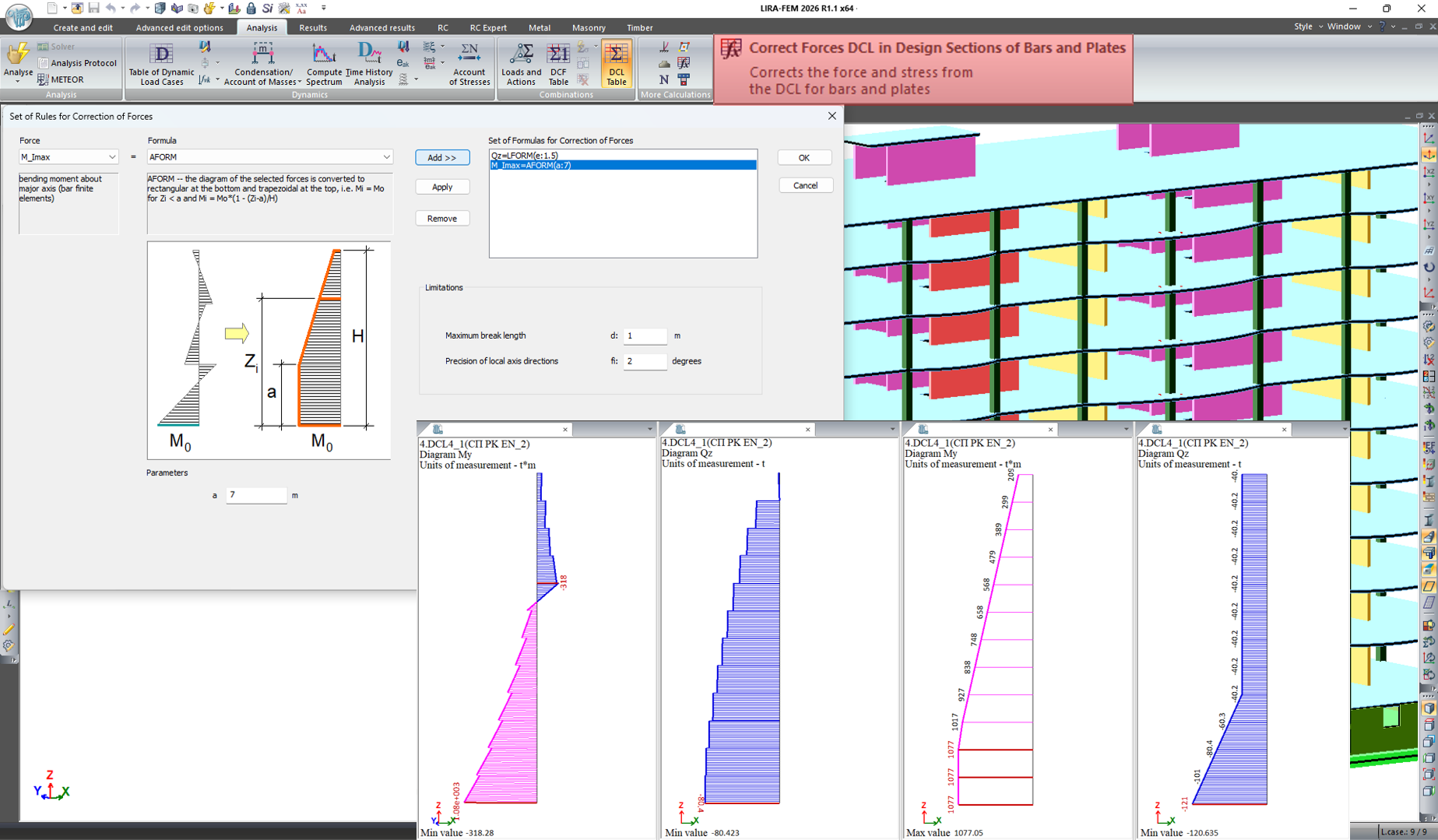
For bar and plate elements, adjustment of forces and stresses in Load Combinations of Loads (LCL) has been implemented, based on a set of rules (zeroing, zeroing of small values, multiplication by a coefficient, reducing the diagram to a rectangular or trapezoidal shape), which makes it possible to account for the specifics of calculating plastic walls, assign responsibility factors for individual elements, and fulfill the requirements of regulatory documents regarding the minimum guaranteed bearing capacity of structures.
Analysis of Dynamic Behavior of Structures
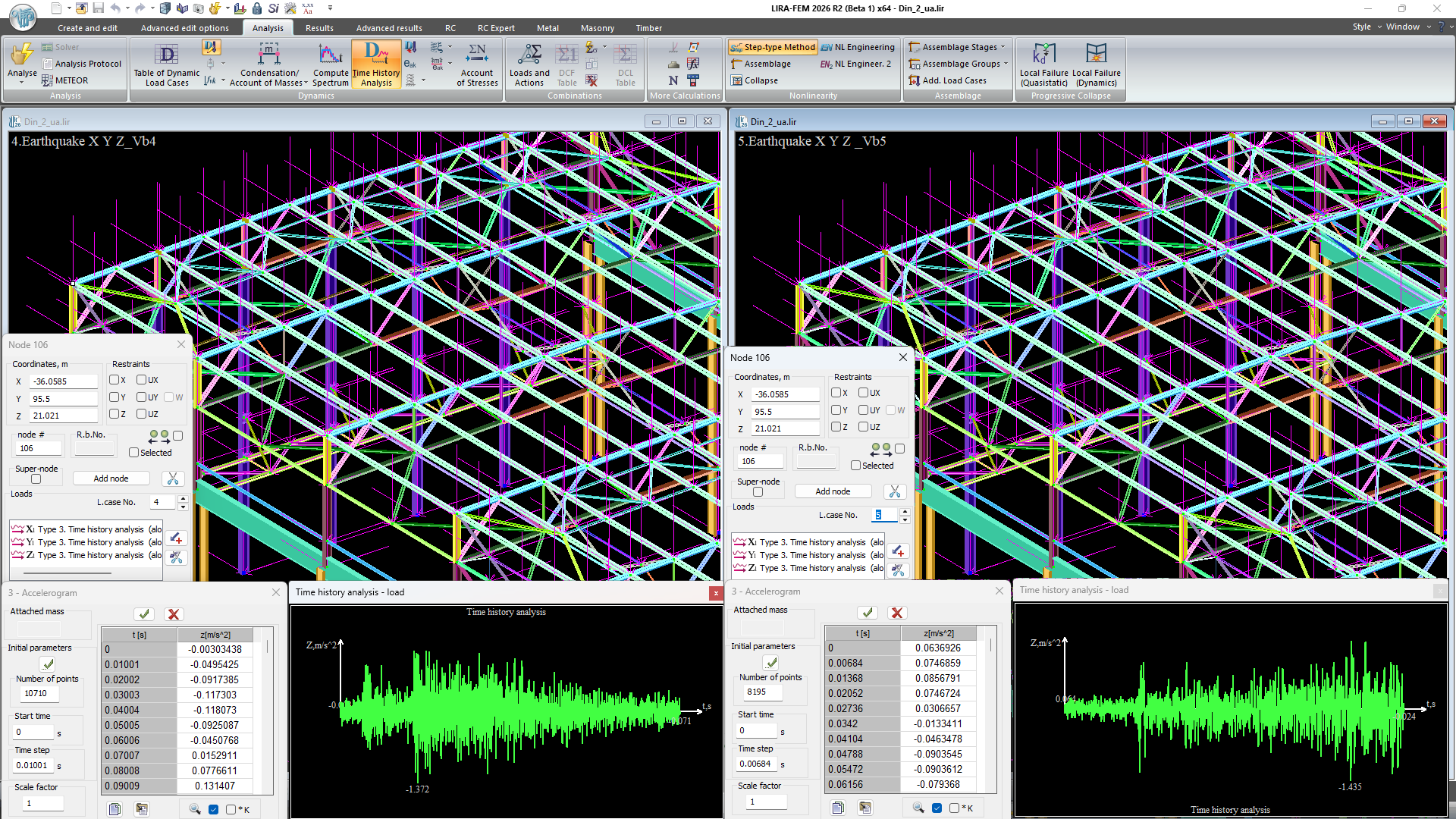
For time-history dynamics problems, VISOR allows displaying results for each calculated time step in the form of isofields, mosaics, diagrams, and deformed schemes.
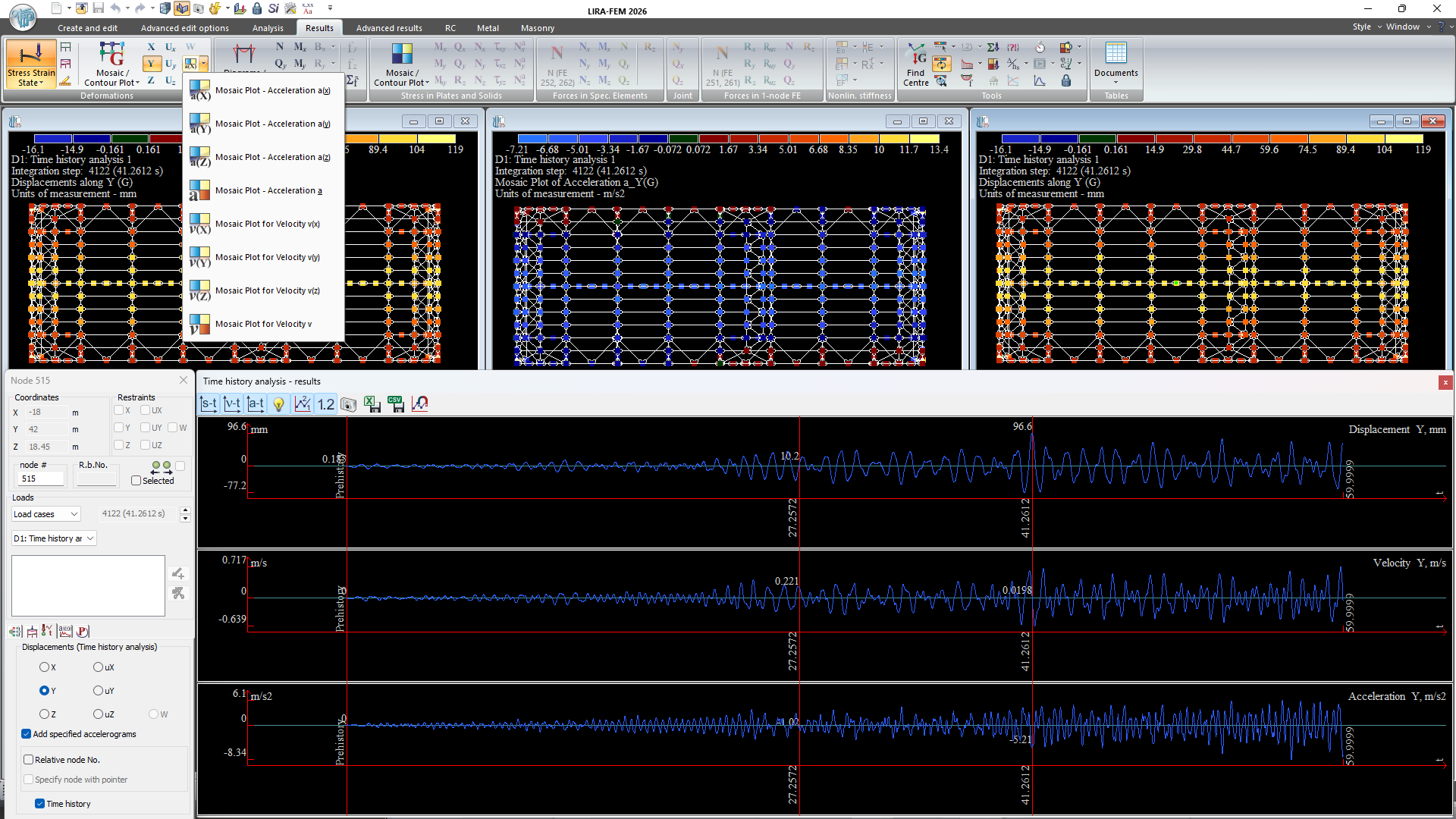
For all objects of the computational model, displacements, velocities, accelerations, internal forces, and stresses can be presented, and graphs of the change in these parameters over time can be built for each node or element.
Animation of dynamics over time has also been implemented, allowing a clear study of the structure's response to seismic, blast, wind, and other dynamic effects.
Analysis of Nonlinear Behavior of Structures
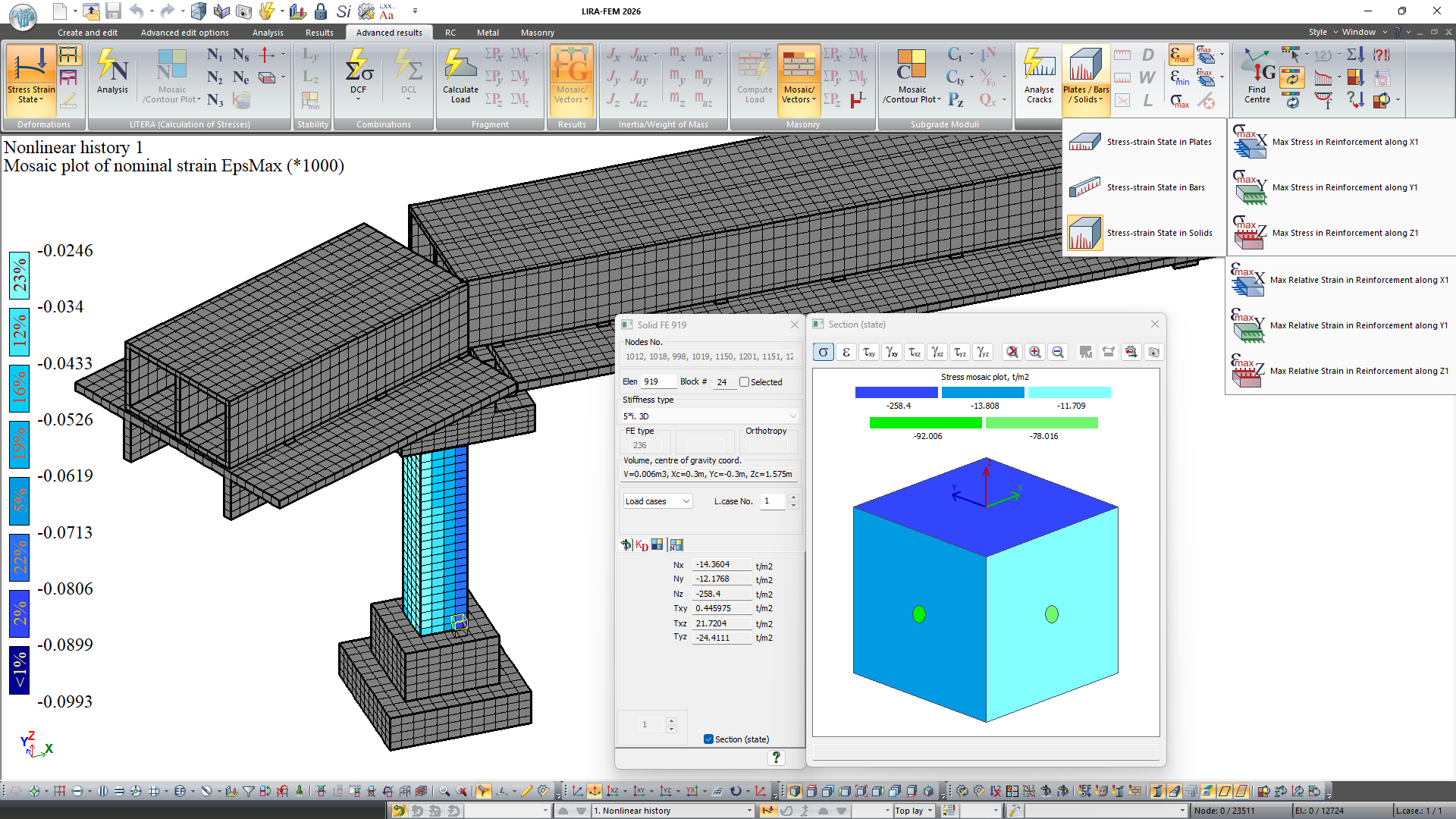
When accounting for physical nonlinearity, VISOR provides tools for studying the behavior of the structure beyond the elastic stage and for analyzing material failure processes.
For bar, plate, and solid elements, analysis of the stress-strain state of sections, the development of plastic deformations, crack formation and opening, and the failure zones of the structure is available.
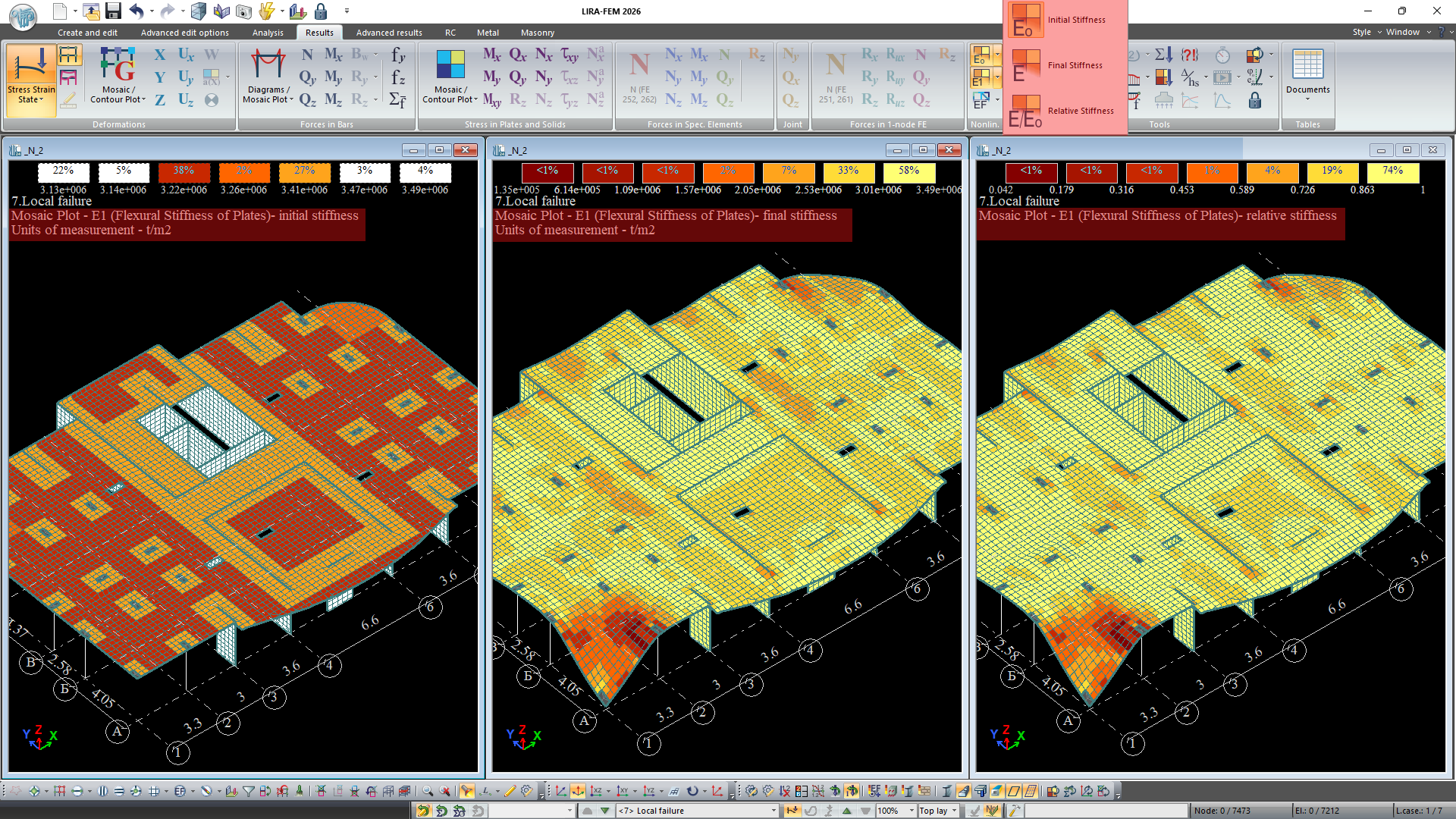
The graphical representation of results allows for a detailed study of the force redistribution process and an assessment of the actual behavior of the structure under limit loads.
Design
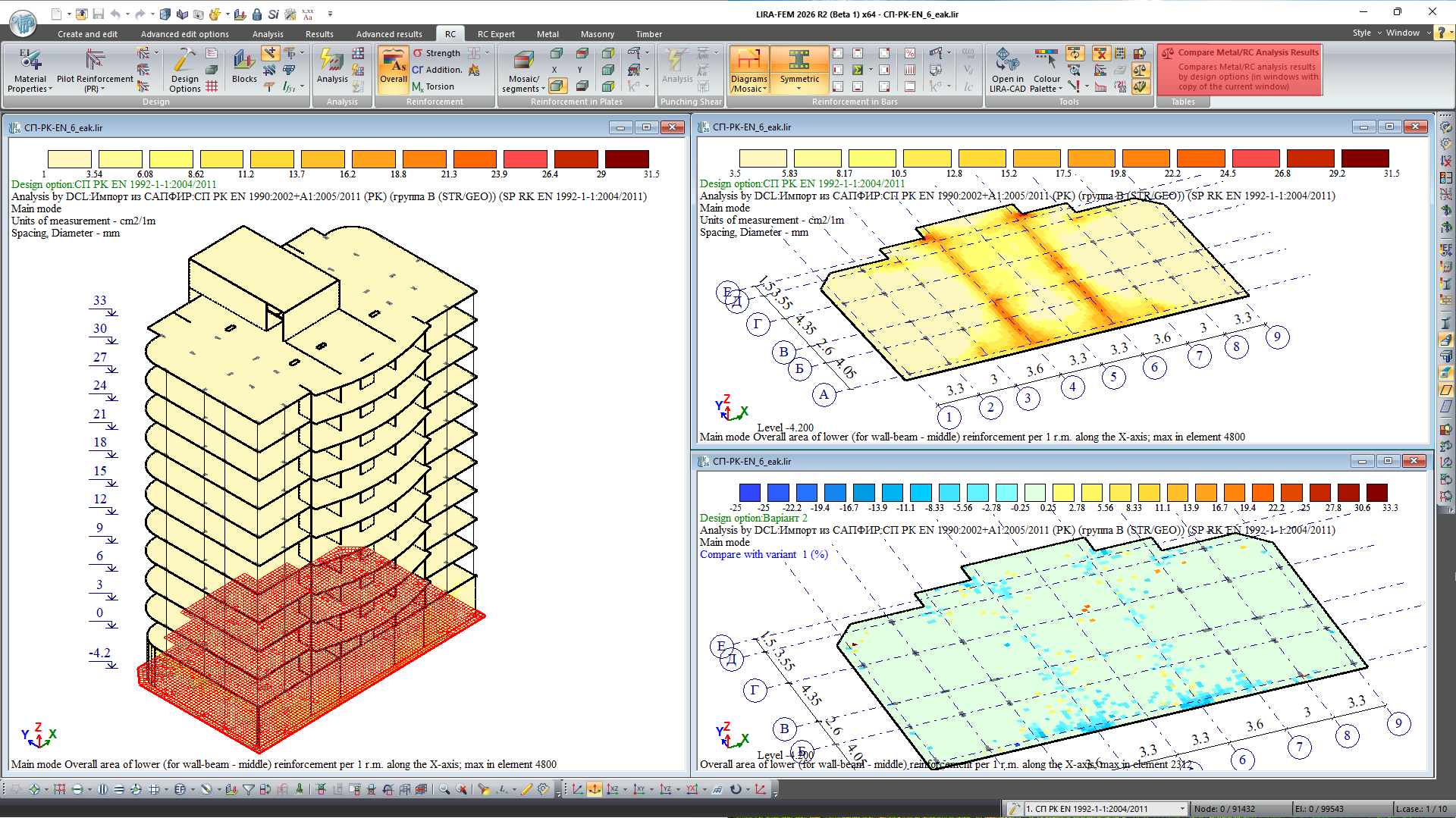
VISOR includes tools for preparing source data and analyzing results in accordance with the design requirements for reinforced concrete, steel, steel-concrete composite, reinforced masonry, and timber structures.
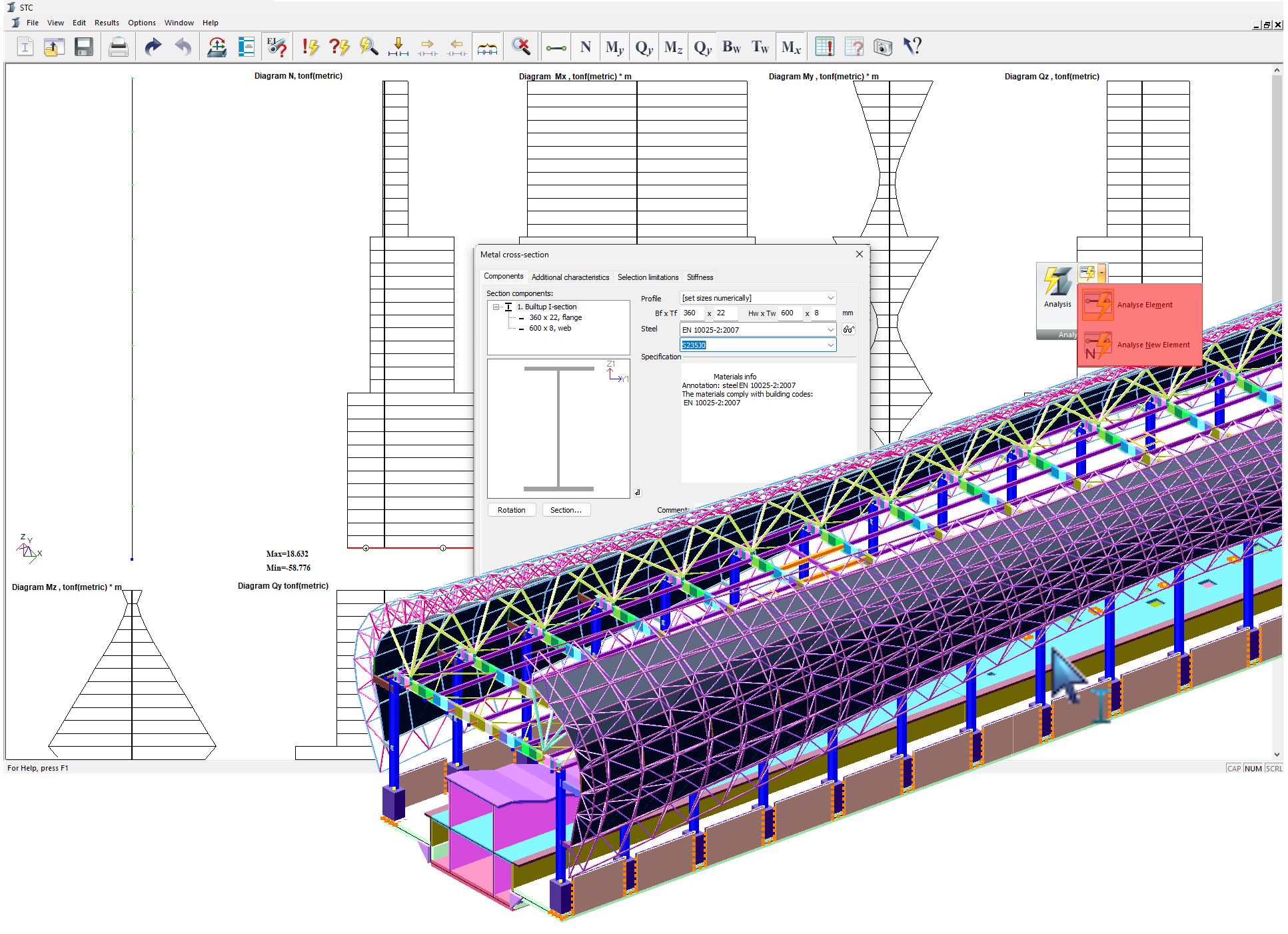
The LIRA ecosystem includes specialized systems for the analysis and design of structures made of various materials, as well as the "Thermal Conductivity" module for solving heat engineering problems and analyzing temperature fields.
Results Documentation and the Report Book
For preparing technical documentation, VISOR includes an integrated system for generating reports and analysis materials.
The Report Book lets you automatically generate structured documentation, which can include source data, result tables, graphical materials, illustrations of the computational scheme, and analysis results. When the model or analysis results change, the report content can be automatically updated.
Results can be exported to common text, tabular, and graphical formats for further use in project documentation and expert reports.
Help System and Training Materials
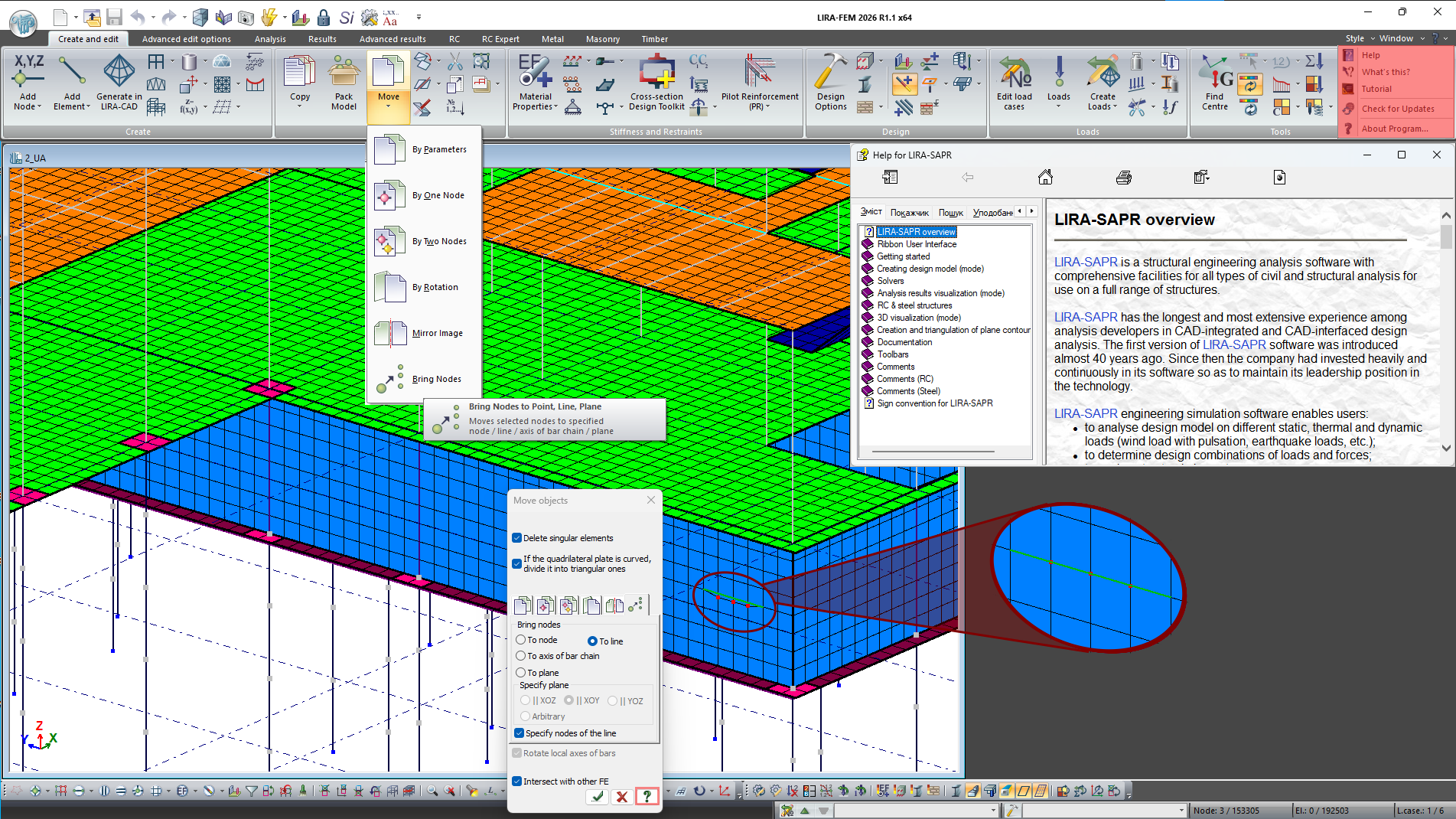
VISOR includes a built-in help system with detailed descriptions of the tools, as well as training materials with examples of typical computational models that help users quickly master the basic techniques of working with the program.
Key Benefits of VISOR
- A single environment covering all stages of working with the computational model — from data import to generating reporting documentation.
- Deep two-way integration with LIRA-CAD, Tekla Structures, and Autodesk Revit, and support for a wide range of import/export formats.
- Powerful tools for model creation and quality control of its preparation.
- A modern, high-performance interface: ribbon menu, DirectX visualization, multi-window mode, 4K display support, and multilingual support.
- Flexible personalization of the working environment and reliable operation thanks to unlimited Undo/Redo and automatic project saving/recovery.
- Comprehensive analysis of results: statics, time-history dynamics, physical and geometric nonlinearity, and more.
- Tools for designing reinforced concrete, steel, steel-concrete composite, reinforced masonry, and timber structures, with data transfer to specialized modules (STK, LARM).
- Automated documentation of results through the Report Book, with the ability to auto-update content when the model changes.
- A built-in help system and training materials for quickly mastering the program.
Evaluate the software
If you have any doubt, download the Demo version and evaluate the program or contact our Support Team for more details.