

Calculation Server
The application performs calculations on dedicated servers within a local network, allowing engineers to continue working on their workstations while making the most efficient use of licenses and computing resources.
Workflow
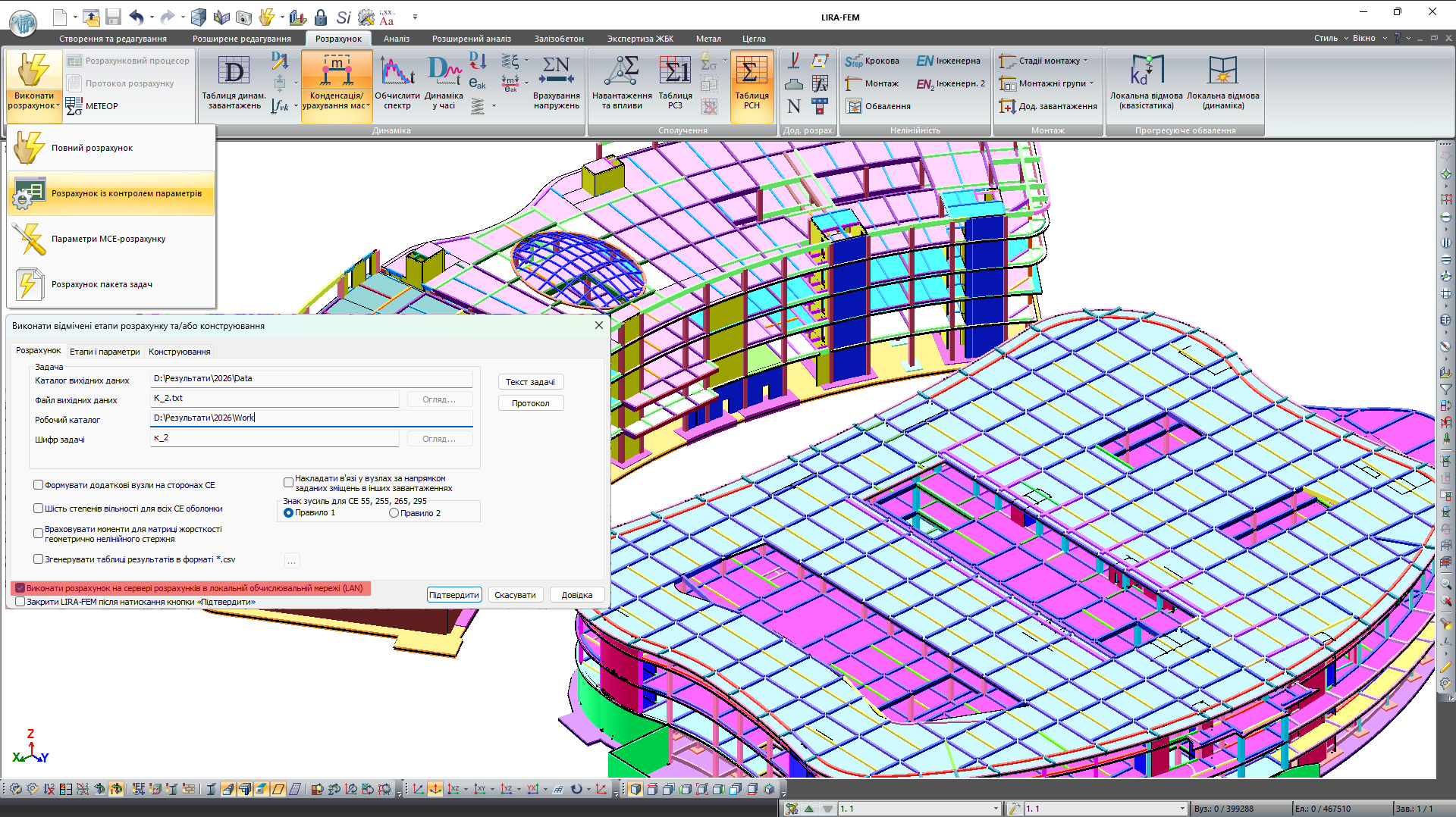
The process of interaction with the server is automated and includes the following steps:
- Preparation: preparing the analysis model on the client workstation.
- Queuing: sending task files to the calculation server.
- Calculation: calculating the model using the resources of a dedicated server within the local network.
- Retrieving results: automatically returning the results to the user's workstation (provided that the corresponding option is enabled).
- Analysis: processing the obtained data in the familiar interface.
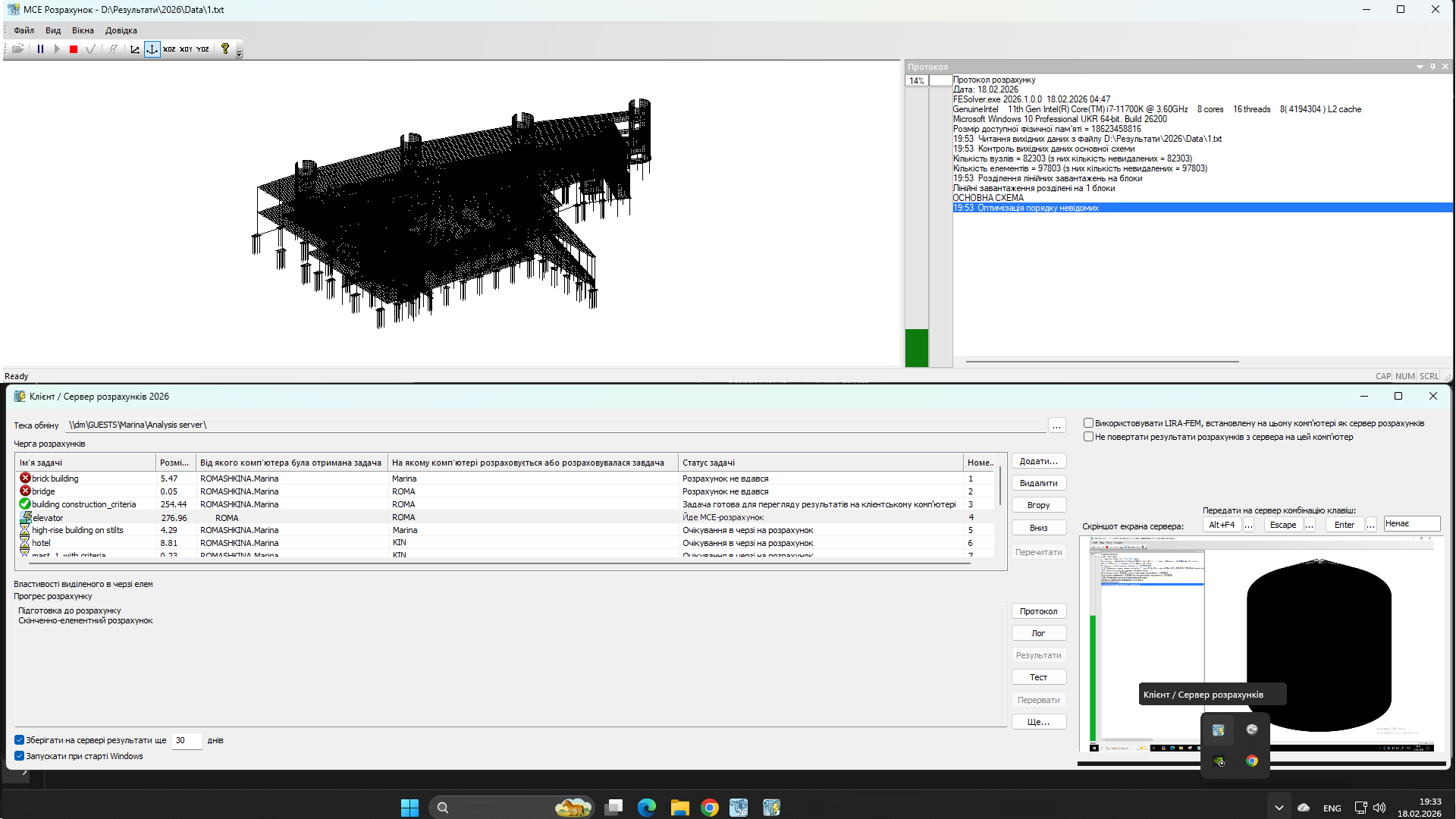
When the "Perform calculation on the calculation server (LAN)" checkbox is selected, the task and its superelements are automatically saved to disk with all settings and input data, after which the current task is added to the calculation queue.
User interface capabilities
- Flexible storage: configuring where results are stored (a dedicated network resource or cloud services).
- Monitoring: tracking calculation progress and receiving push notifications.
- Queue management:
- Users — full control over their own tasks in the queue.
- Administrators — centralized management of the organization's entire task queue.
Why is it convenient?
Reduced workstation load
While the server calculates tasks, your computer retains its full performance. You can create new analysis models without delays.
Maximum computing power
A server is typically equipped with higher-performance processors and more memory than a standard workstation, significantly accelerating the calculation process.
Autonomous and continuous operation
The system allows you to create a queue of dozens of analysis models that are calculated autonomously by the server, including outside working hours.
Batch calculation
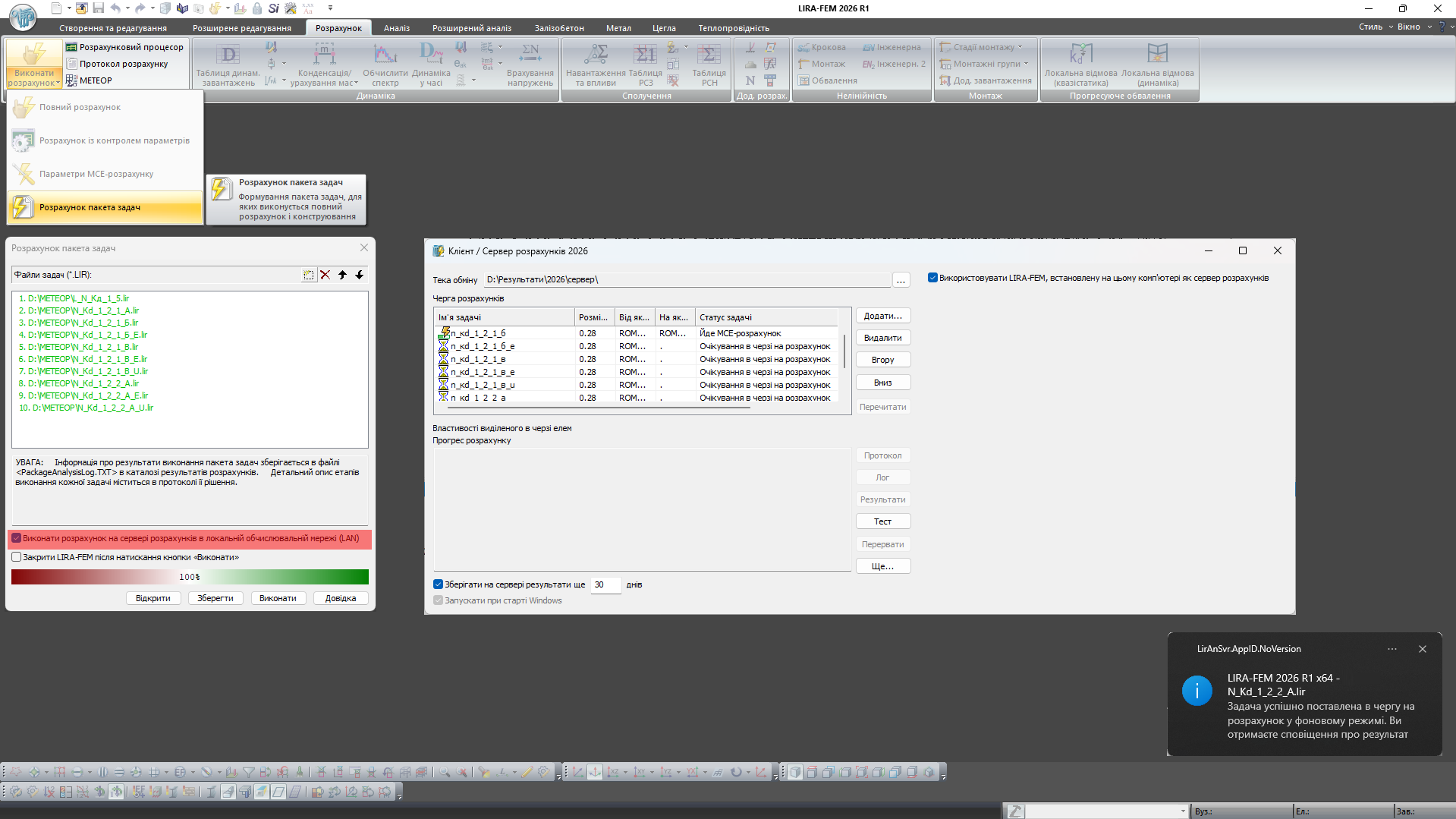
LIRA-FEM supports sequential calculation of a list (batch) of tasks with full execution of all stages:
- Static and dynamic analysis
- Load and action combinations (SNV)
- Design combinations of forces (DCF)
- Unification of design combinations of forces
- Load on fragment
- Design load combinations (DLC)
- Calculation of principal and equivalent stresses (LITERA)
- Calculation of crack parameters for nonlinear materials
- Calculation of LIRA-FEM extensions
- Calculation of design systems
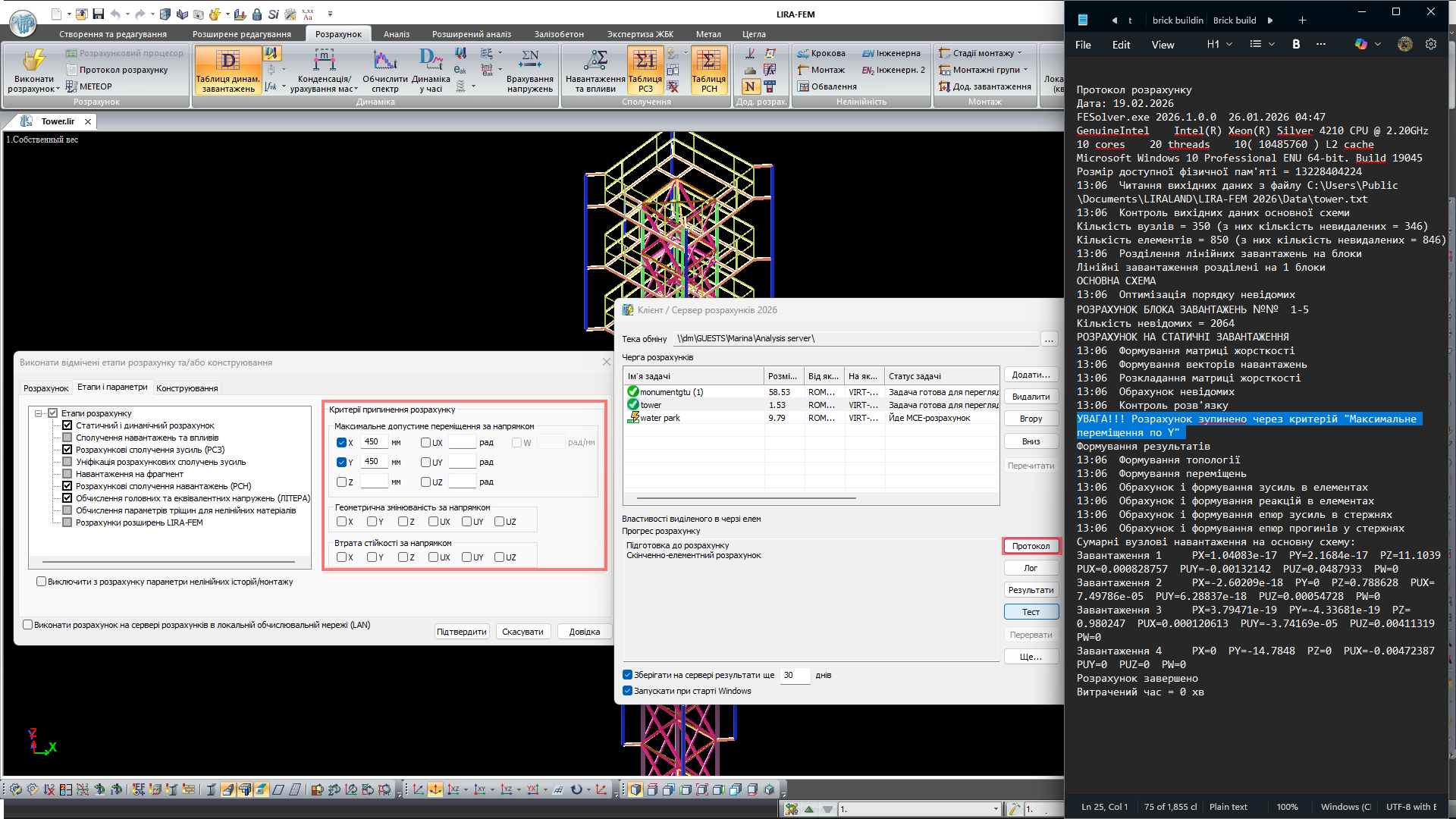
The prepared batch of tasks can be submitted to the server queue. During calculation, the user can continue working on their workstation while making the most efficient use of licenses and computing resources.
Additional materials on the topic
Evaluate the software
If you have any doubt, download the Demo version and evaluate the program or contact our Support Team for more details.